Feature Map
Agor is the command center for AI enablement: branches, sessions, boards, teammates, shared context, and runtime surfaces in one workspace.
If you’re new, start with the core workflow. Everything else extends one of these primitives.
Core workflow
These are the concepts that deserve first-read visibility because they explain how Agor organizes work.
🌳 Branches
The unit of work in Agor. A git branch pinned to a board, with its isolated environment, sessions, and conversations all attached. Multiple branches coexist with their own ports, dependencies, and database state, so parallel work doesn’t collide.
Use when: Always. Branches are how Agor organizes each issue, PR, or experiment.
🧵 Sessions & Trees
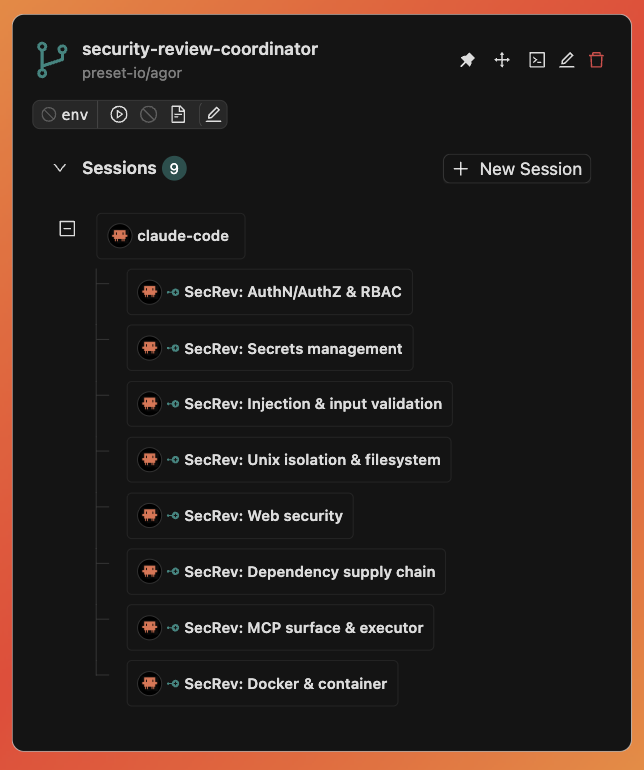
Agent conversations with genealogy. A session is one Claude Code / Codex / Gemini conversation inside a branch. Fork to explore alternatives without losing the original path; spawn subsessions for focused subtasks that report back to the parent.
Use when: You want to branch a conversation, delegate a subtask, or keep a clean trail of what each agent did and why.
🗺️ Boards & Zones
Spatial canvas for branches. A board is a 2D Figma-like canvas where branches live as cards. Zones are regions on the board that organize work and can trigger templated prompts when you drop a branch into them.
Use when: You need an at-a-glance view of in-flight work, or want to automate “when something lands here, run this prompt.”
Agents & context
These features explain how Agor becomes a durable team workspace, not just a place to run one-off prompts.
🤖 Teammates
Persistent AI teammates that live in your workspace. Long-lived AI teammates with file-based memory, identity, and skills, running on heartbeat schedules and orchestrating work across boards.
Use when: You want an agent that remembers across sessions and proactively manages a project, not a one-off conversation.
🧠 Knowledge
Built-in context for humans and agents. A default place to file decisions, runbooks, prompts, teammate memory, and operational notes when there is no obvious home yet.
Use when: Context should be easy for the whole Agor workspace to find, update, link, and reuse across branches, sessions, teammates, and people.
🔌 Agor MCP Server
Anything a user can do in Agor, an agent can do too. The daemon exposes MCP tools for sessions, branches, boards, zones, users, environments, and more. Every session is auto-issued an MCP token, so agents are self-aware and can act on their own context.
Use when: You want agents to operate Agor itself: spawn peers, reorganize boards, create branches, prompt other sessions, or publish reports.
Team workflow
These features make the workspace collaborative, automated, and usable across multiple branches and teammates.
👥 Multiplayer & Social
Live collaboration around agent work. Live cursors, facepile, real-time branch movement, scoped comments, attention pulses for completed work, and shared multiplayer terminal sessions.
Use when: Working with teammates on the same board, or when you want spatial awareness of where work stands.
🌳 Environments
One-click dev servers per branch, with no port collisions. Configure start/stop commands once on the repo, with templates that derive unique ports from each branch’s ID. Everyone on your team gets one-click start/stop, health checks, and logs.
Use when: Working on multiple PRs simultaneously and tired of “kill your dev server so I can test mine.”
⏰ Scheduler
Cron-style triggers for templated prompts. Run a prompt every hour, every Monday, or on a custom cadence. Scheduler powers teammate heartbeats, daily standups, scheduled audits, and periodic backlog grooming.
Use when: Something should happen on a cadence without you remembering to trigger it.
📨 Message Gateway
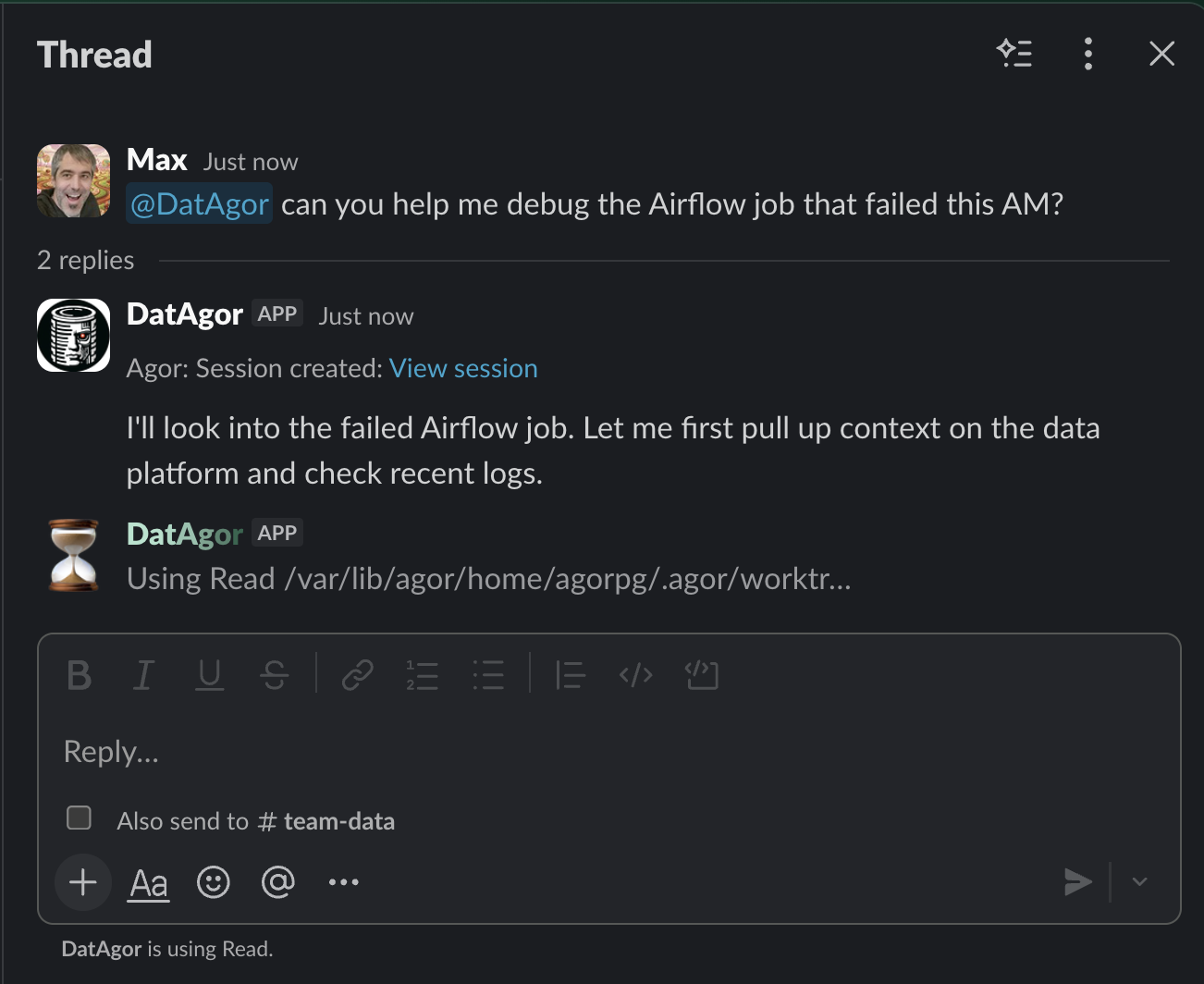
Slack and GitHub as portals to Agor sessions. DM a Slack bot or @agor mention on a PR. Agor spins up a session on the right branch with the right agent, then routes responses back.
Use when: You want to drive Agor from where conversations already happen (chat and PR threads) without switching contexts.
Product experience & extensions
These pages explain the richer UI surfaces and emerging non-code workflow primitives.
💬 Rich Chat UX
A CLI can’t show you this. Per-prompt token and dollar accounting, model and effort selectors, live context-window meter, structured tool blocks, todo lists, message queueing, autocomplete, status dots, completion chimes, and rich markdown rendering.
Use when: Always. This is what makes Agor’s conversation surface richer than running a coding agent in a terminal.
🧩 In-Conversation Widgets
Structured UI inside agent conversations. Widgets turn specific agent actions into editable UI affordances, such as reviewing environment variables before applying them.
Use when: You want agent outputs to become safer, clearer product interactions instead of raw text blobs.
🃏 Cards (Beta)
Generic workflow entities on boards. Not every board entity is a git branch: support tickets, sales leads, patient records, content pieces. Cards are spatial workflow units that a teammate creates and manages via MCP.
Use when: You want spatial oversight of a non-code workflow, with agents driving state changes.
🎨 Artifacts
Live, interactive applications rendered on the board. Agents scaffold a small app via MCP and the board shows it running: no deploy, no preview URL.
Use when: You need visual output during agent collaboration: dashboards, data visualizations, design mockups, calculators, or redline viewers.
Technical reference
These pages are important, but they should not compete with the first-read product story.
- Architecture: System design, data flow, and real-time sync.
- TypeScript Client: REST and WebSocket client usage.
- SDK Comparison: Capability matrix across Claude / Codex / Gemini / OpenCode.
- One-Time Launch Auth: External launch-code handoff into Agor.
- Security: Deployment modes, trust boundaries, RBAC, and isolation.