Rich Chat UX
A CLI can’t show you this. When you run a coding agent in your terminal, you get scrollback. That’s it.
Agor’s chat surface exposes everything the SDKs make available, and adds the affordances multiplayer work demands. Live token and dollar accounting, structured tool blocks, todo tracking, queued prompts, autocomplete, completion chimes, and richly rendered streaming markdown.
This isn’t decoration. It’s how you stay oriented when you have 5 sessions running across 3 branches.
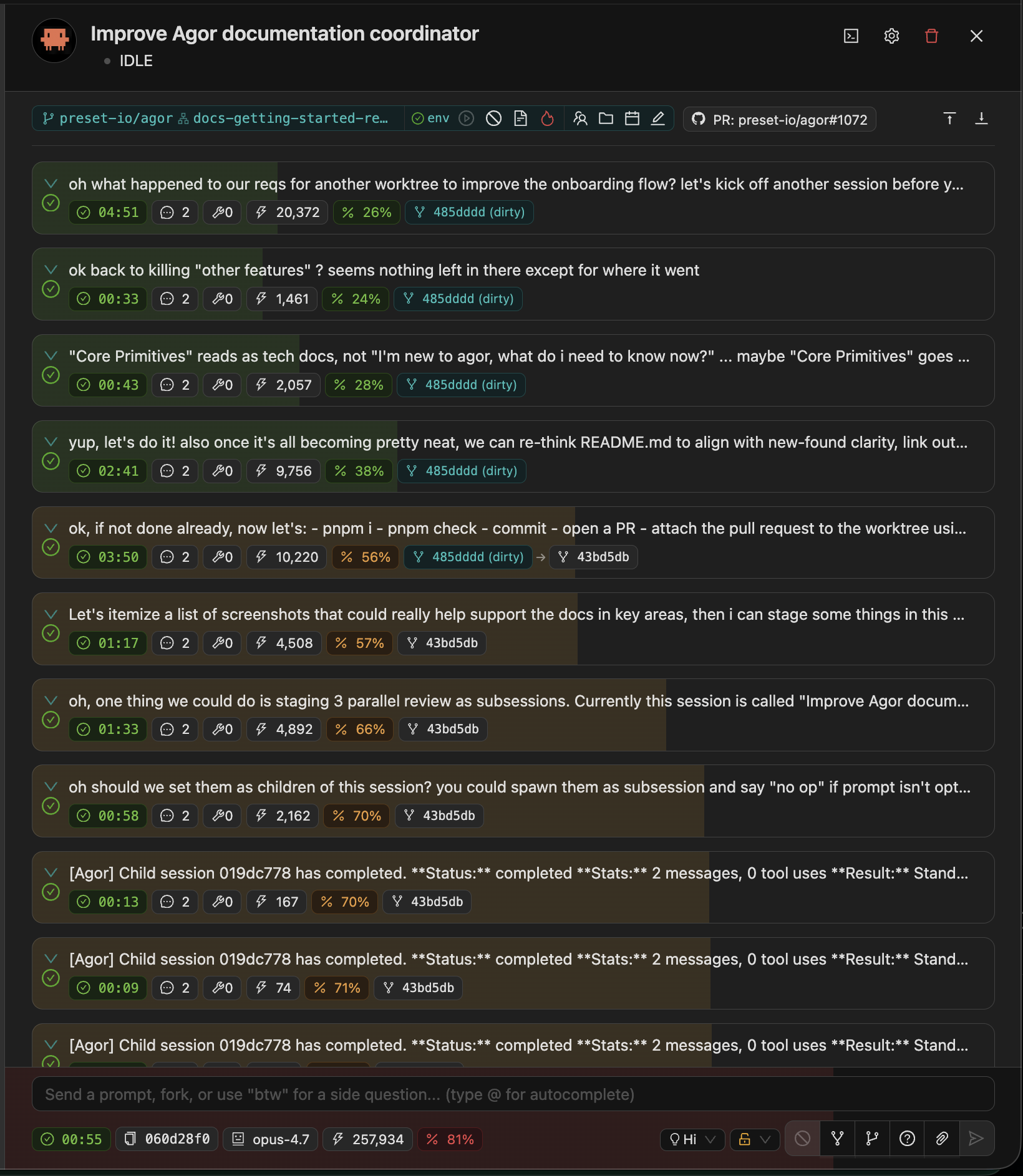
💰 Per-Prompt Cost & Token Accounting
See exactly what every prompt costs. Token counts (input, output, cache reads, cache writes) and dollar amounts are tracked and displayed inline per message and rolled up per session.
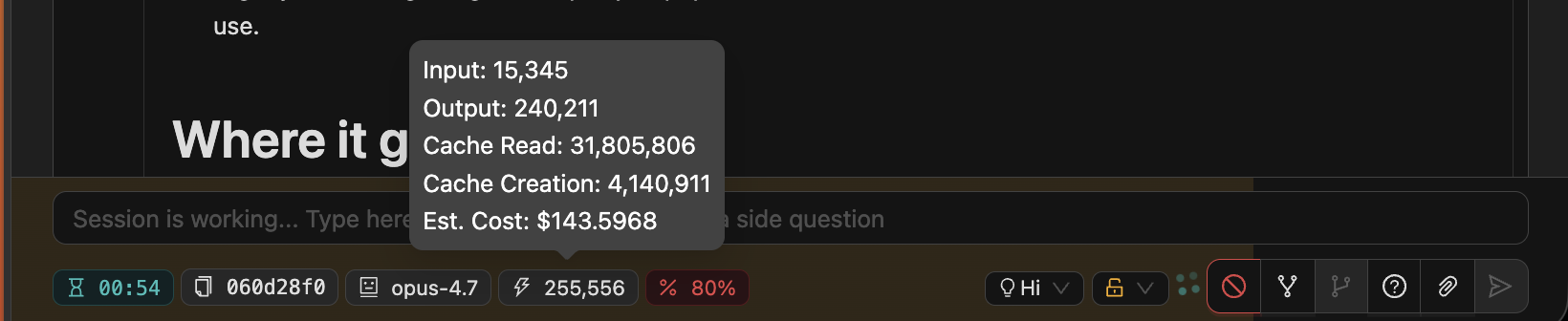
You can spot:
- The prompt that blew through the context window
- The session that’s accidentally running on Opus when Sonnet would do
- The cumulative cost of an exploratory branch before merging the work
Combined with per-user analytics (Settings → Analytics), this gives you a real cost picture across your team.
🧠 Model Selector & Effort
Switch models and reasoning depth mid-session. Claude and Codex sessions expose a model selector and effort dropdown in the session panel footer. Codex shows Inherited until Agor stores an explicit override.
| Effort | When |
|---|---|
low | Quick lookups, simple edits |
medium | Balanced speed/quality |
high | Deep reasoning for complex coding and reviews |
xhigh | Extra reasoning depth for supported runtimes |
max | Critical decisions, architecture (Opus only) |
For Claude Code models that support both capacities, Agor lists explicit 200k and 1M choices. The 1M choice persists Claude Code’s [1m] model suffix (for example, claude-sonnet-4-6[1m]), so the runtime can enforce account and provider availability. Models whose only supported capacity is 1M have one 1M-labeled choice.
You don’t have to start a new session to dial things up or down. Flip the selector, and the next prompt uses the new config.
📊 Context Window Progression
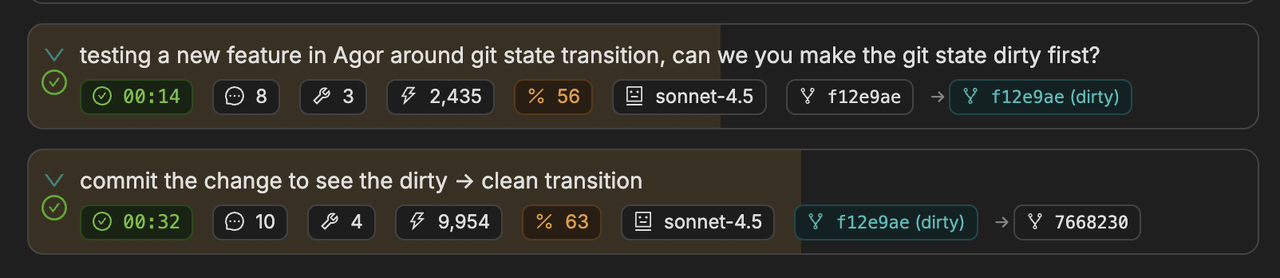
See exactly how much of your context is left. Color-coded underlays in the conversation show token consumption. The closer you are to the cap, the more saturated the bar.
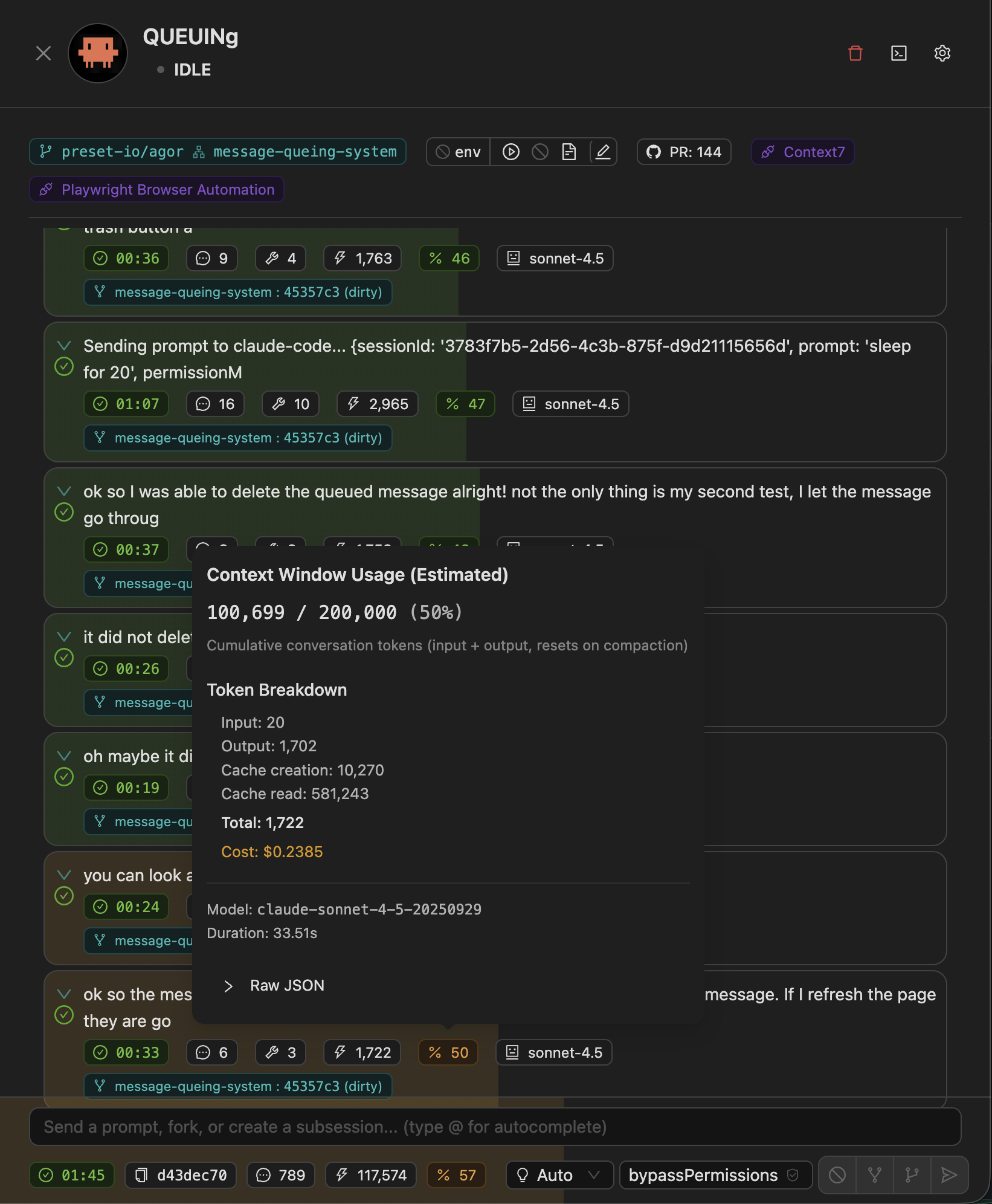
Hover any prompt to see the per-message context popover with raw token counts and per-model breakdown:
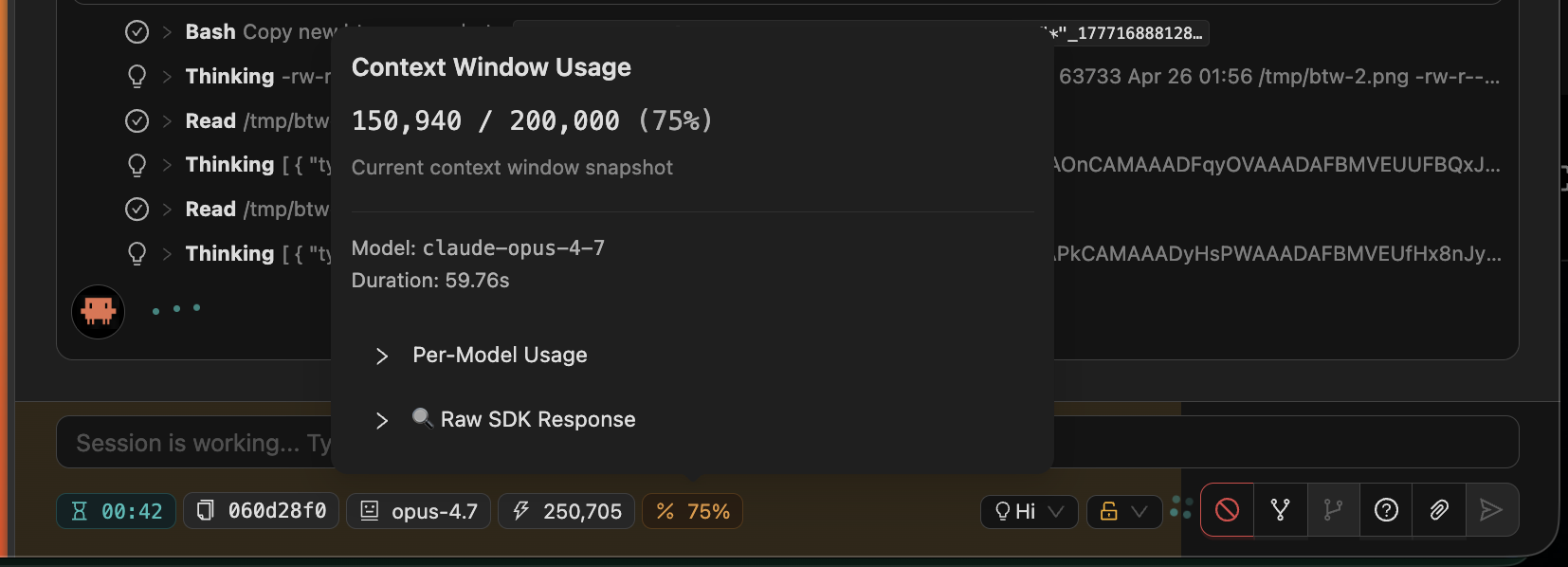
This makes “should I spawn a child or keep going?” a visual decision rather than a guessing game.
🧰 Structured Tool Blocks
Every tool call is a structured, inspectable block, not a wall of text. Read, Edit, Write, Bash, Grep, Glob, and custom MCP tool calls each render with their own affordances:
- Edits show the diff inline
- Reads show file paths with click-through
- Bash shows the command and exit code
- MCP tool calls show inputs/outputs as collapsible JSON
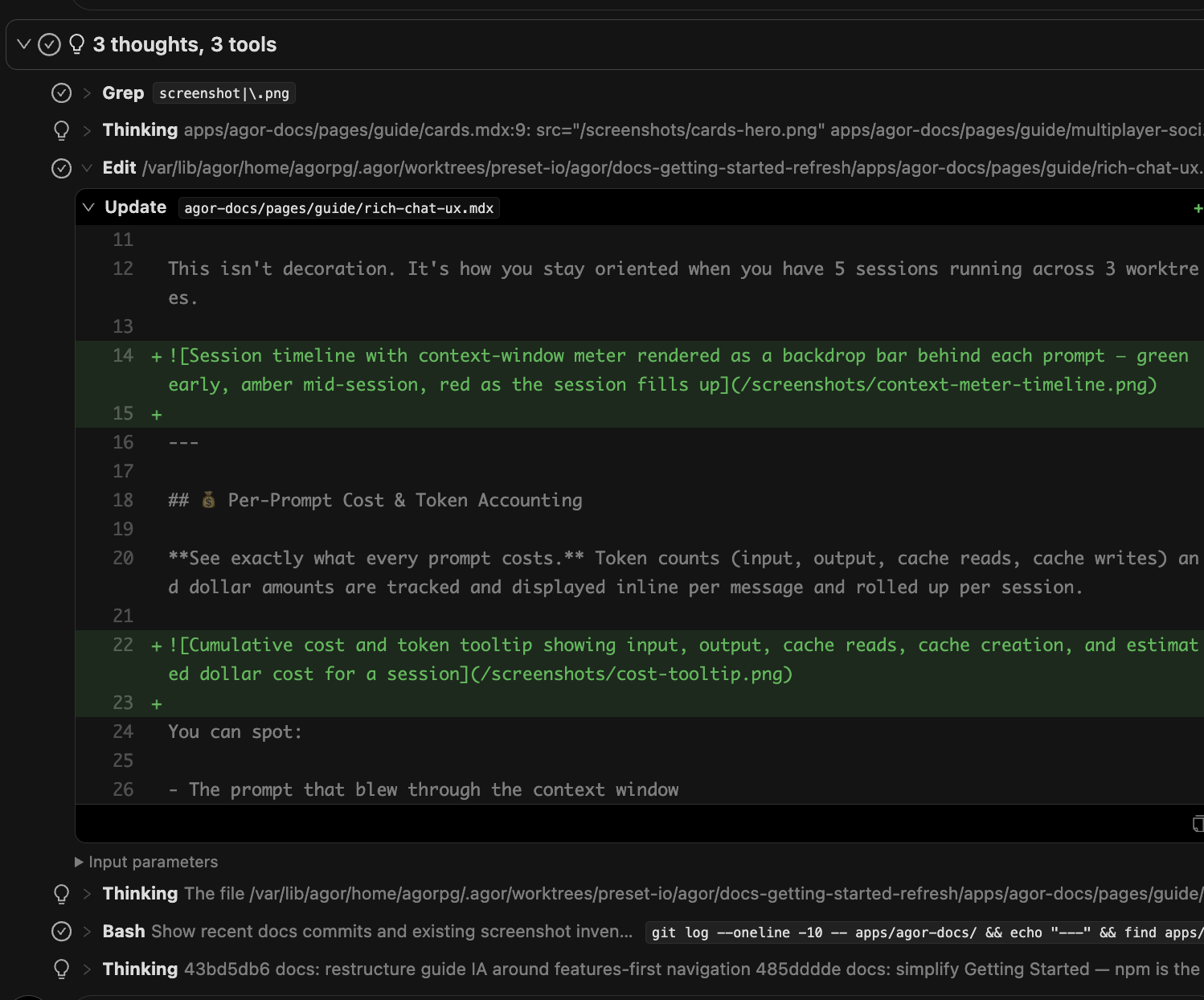
Thinking blocks, Grep, Edit (with inline diff), and Bash, each as its own structured, collapsible block.
Plus a per-message git tracking view that shows what changed on disk after each agent turn. You see which files were modified and what the diff looks like.
✅ Todo Lists
Claude Code agents create and update task lists as they work, and Agor renders them inline. You can see the agent’s plan, watch items get checked off in real time, and notice when something gets dropped.
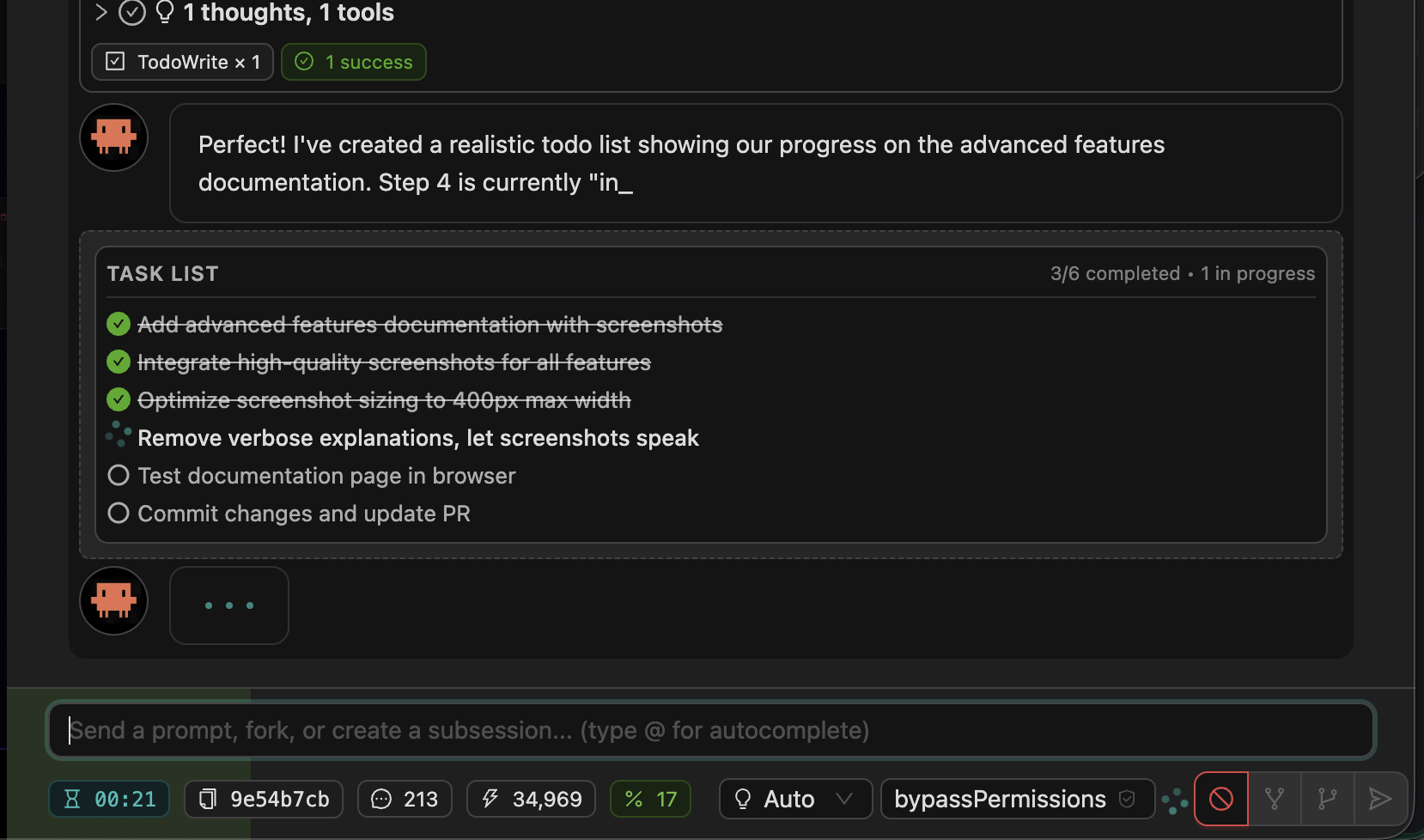
When a todo list shows up half-done at the end of a turn, that’s a strong signal to follow up.
📝 Message Queueing
Type follow-ups while the agent is still working. Queued messages stack visually below the input and dispatch in order as soon as the agent finishes.
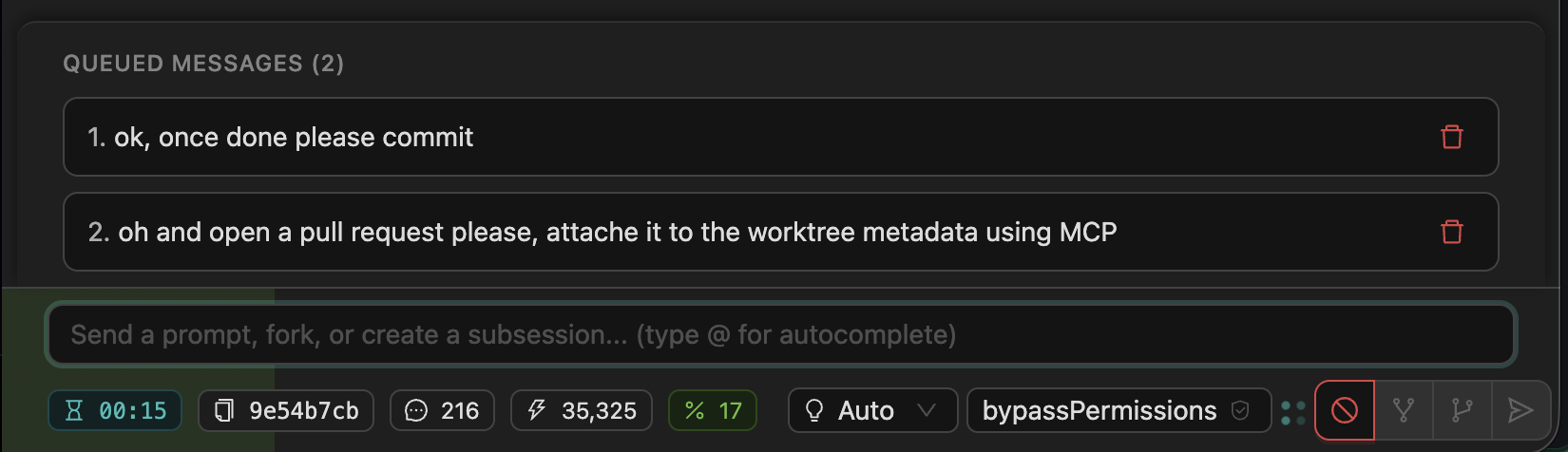
You don’t have to wait for a long-running prompt to finish before you start writing the next instruction.
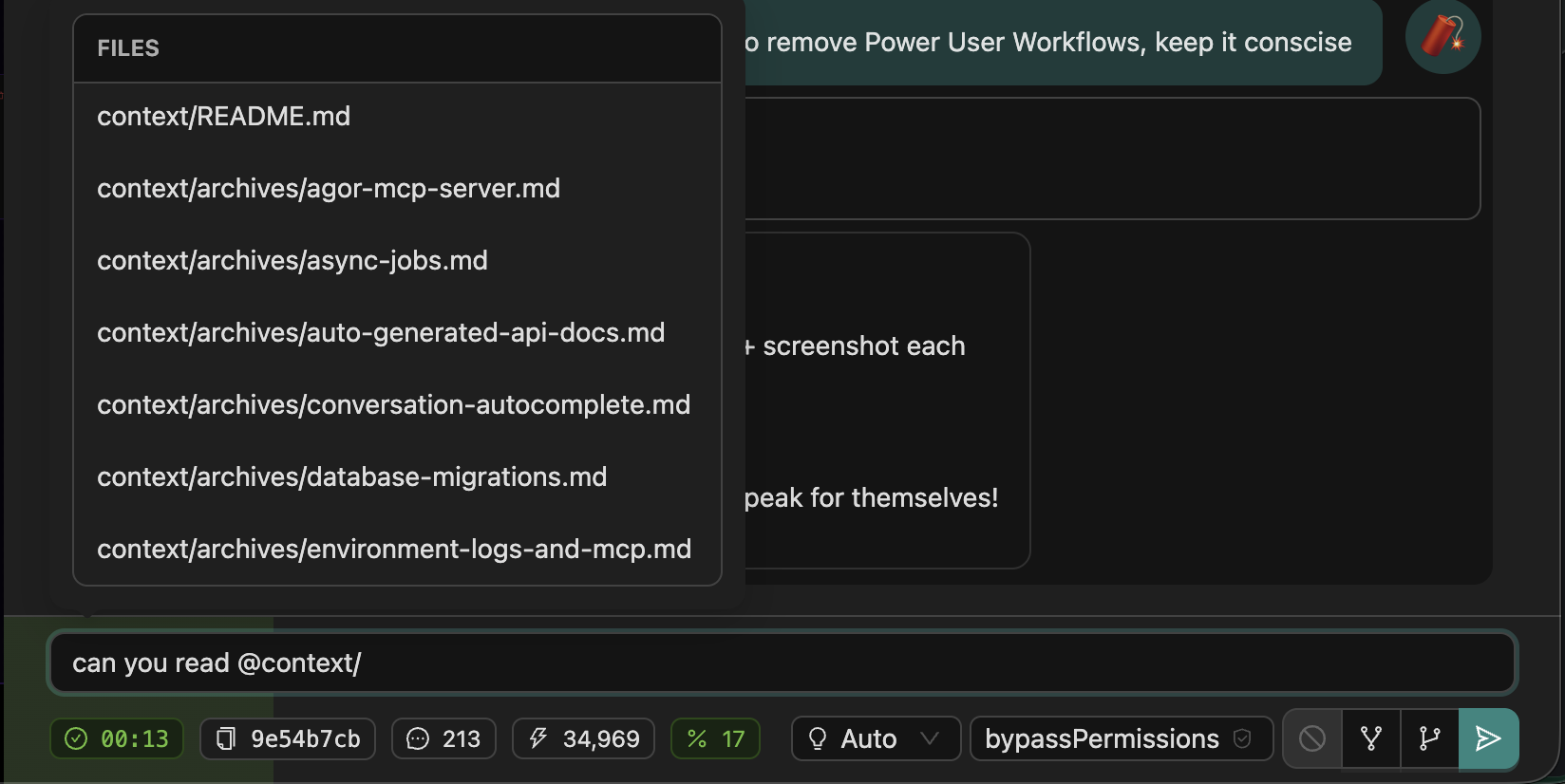
💬 Autocomplete (@)
Type @ to reference files or users. Path autocomplete inside a branch, user autocomplete for @mentions in comments and prompts.
🔴 Favicon Status Indicator
See session activity at a glance, even in background browser tabs. The favicon shows live status dots:



White dot (lower-left) means something is running. Green dot (lower-right) means something is ready for input. Both can show at once. Updates in real time over WebSocket.
🎯 Branch Highlighting
Branch cards pulse with a teal glow when sessions need your attention (completed work, pending callbacks, or human-input prompts). You can leave the board open in a tab and pulse-watch from your peripheral vision.

🔔 Task Completion Chimes
Hear when long-running tasks finish. Configurable per-user audio notifications, so you can multitask and let Agor ping you when the agent’s done.
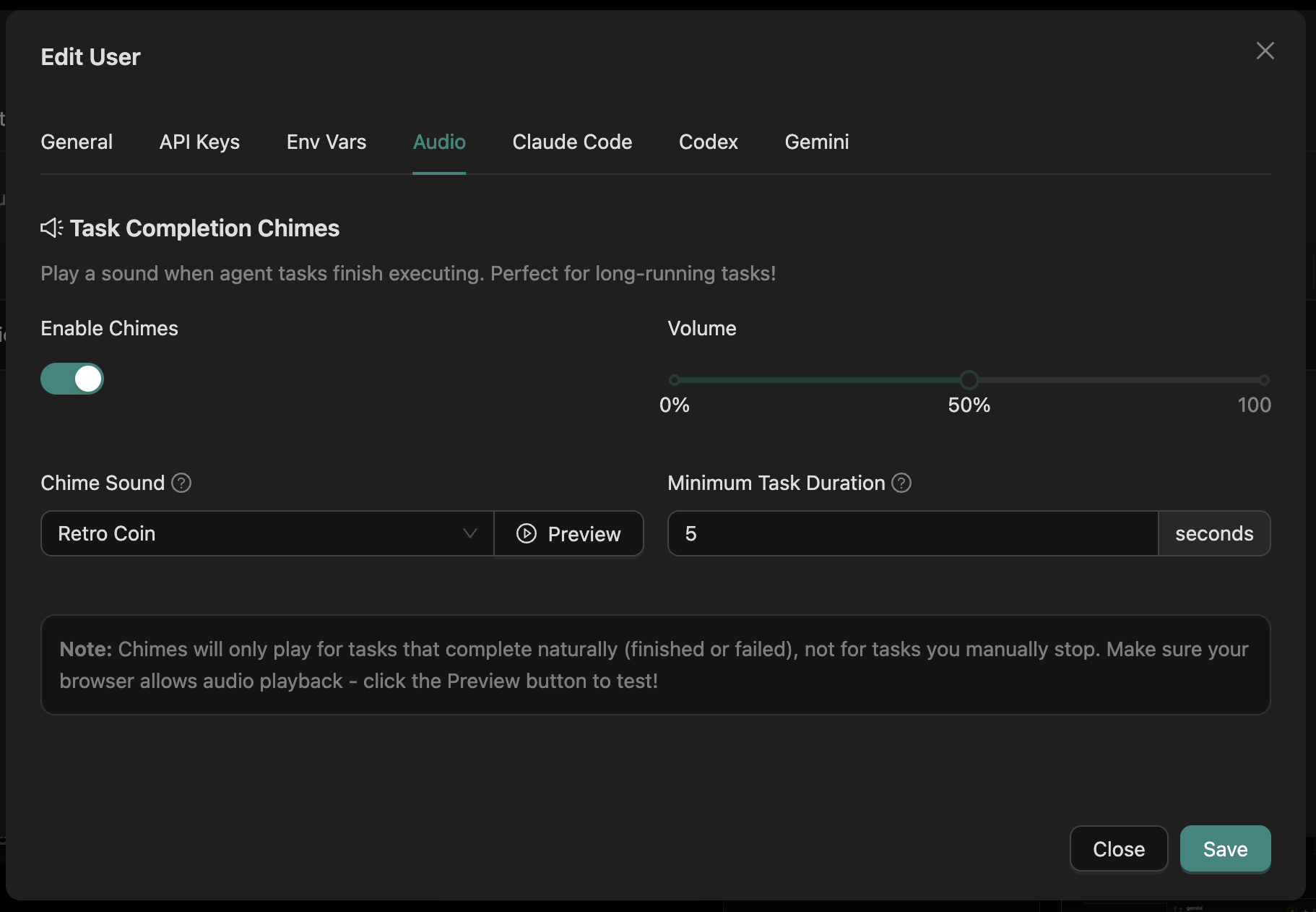
Settings → Audio.
🎨 Streamdown Markdown Rendering
Rich markdown that streams correctly. Agor uses Streamdown by Vercel to render AI-generated markdown in real time:
- Mermaid diagrams render flowcharts and sequence diagrams with one click
- Math renders LaTeX/KaTeX for inline (
$E = mc^2$) and block equations - Syntax highlighting covers 100+ languages via Shiki (server-side)
- GitHub Flavored Markdown brings tables, task lists, strikethrough, and more
- Streaming-optimized rendering handles incomplete chunks gracefully during real-time delivery
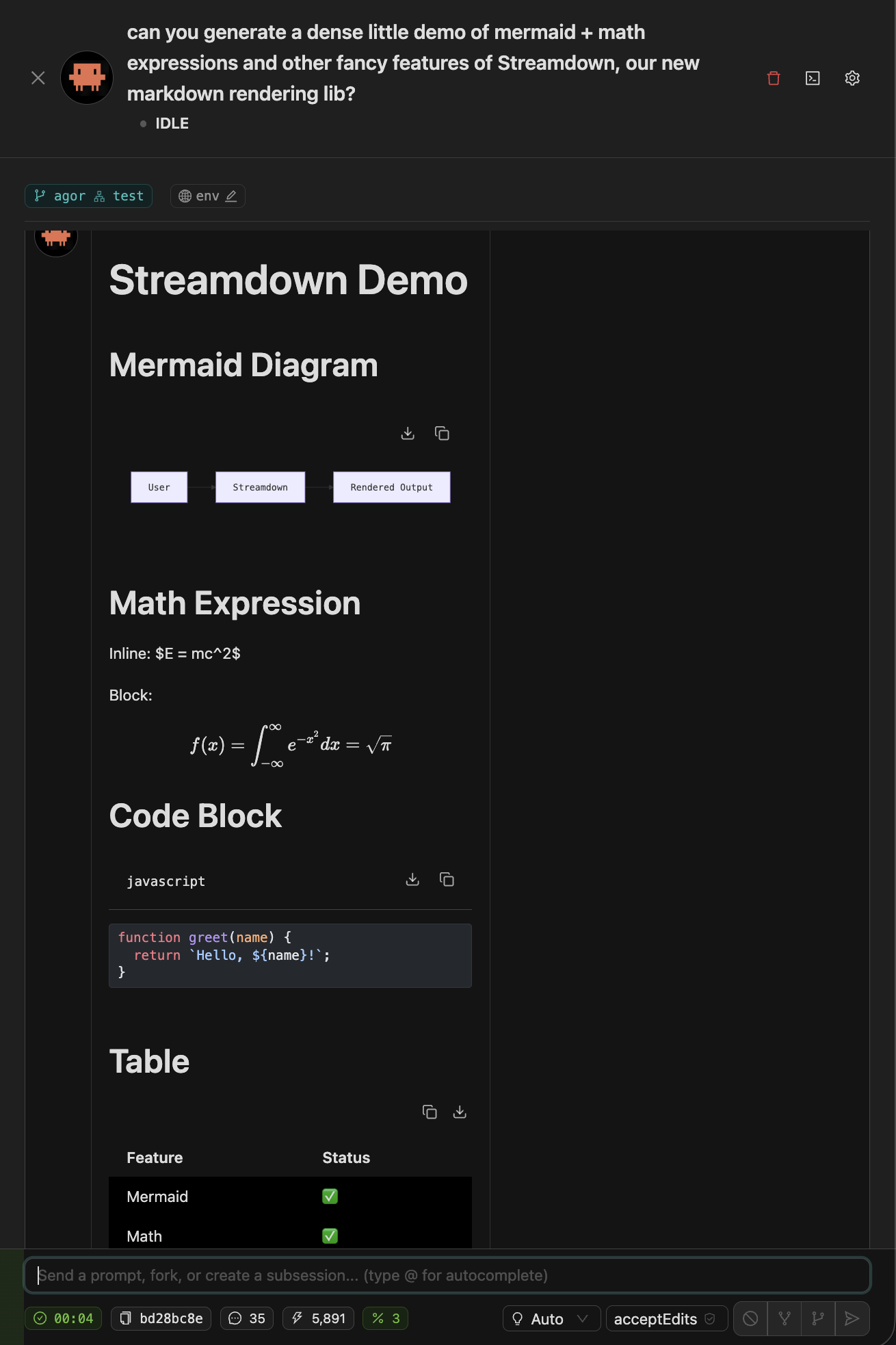
The agent can return a Mermaid diagram of your service architecture, and you’ll see it render live as the tokens stream.
⚙️ Per-User Configuration
Personalize without affecting teammates. Each user has their own:
- API keys let you bring your own Claude/Codex/Gemini credentials, encrypted at rest
- Environment variables are secrets that get injected into agent shells (e.g.,
OPENAI_API_KEYfor an artifact) - Agent defaults set the model, effort, permissions, and MCP servers for new sessions
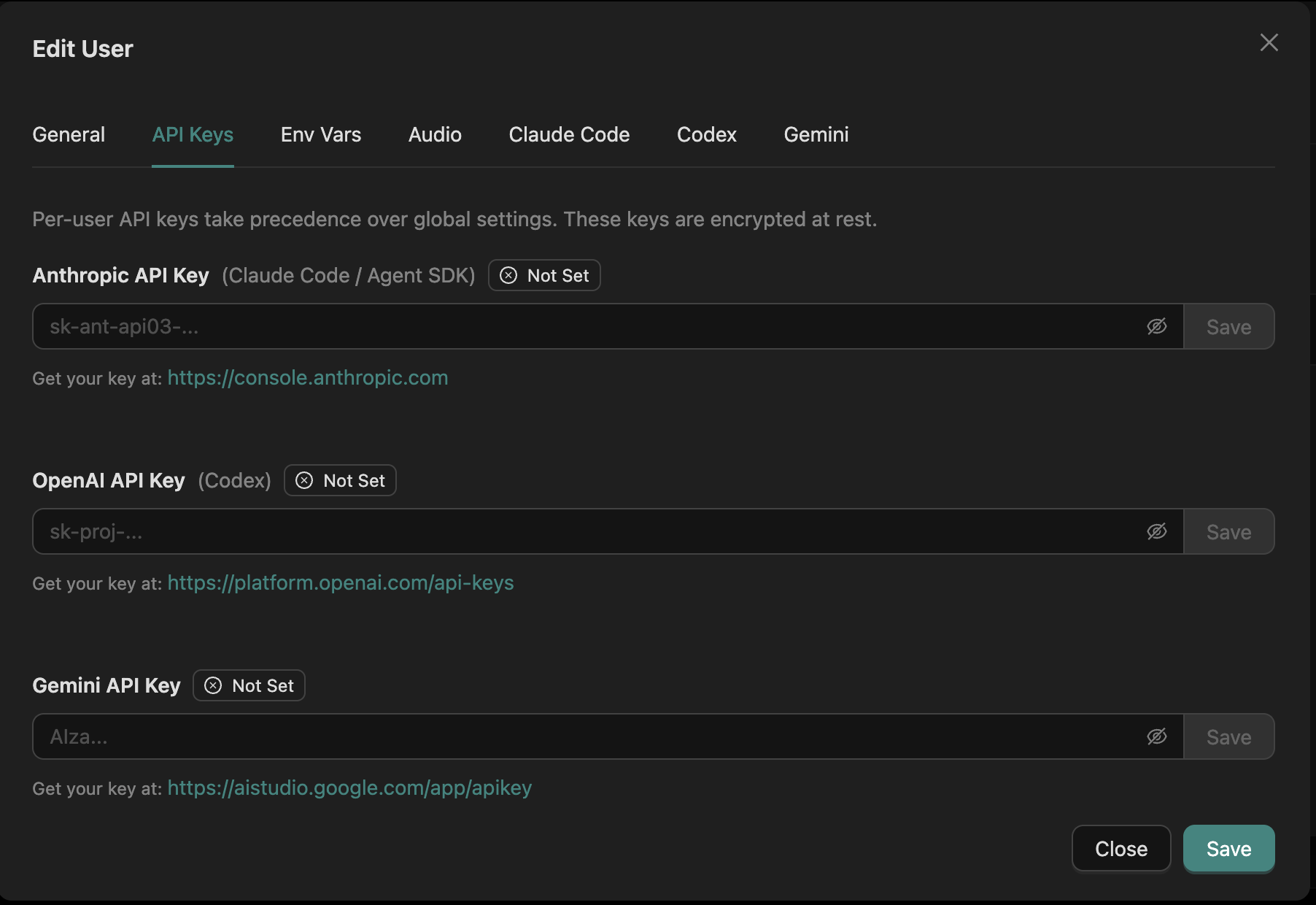
| Setting | Where |
|---|---|
| Audio | Settings → Audio |
| API keys | Settings → Agentic Tools |
| Env variables | Settings → Environment Variables |
| Agent defaults | Create Session → Advanced |
See Security for the trust boundary on per-user secrets.
📎 File Uploads
Drop files into the agent’s context with one click. Uploads enter temporary, session-scoped staging and the agent receives an expiring opaque handle. The agent can materialize the handle into its executor-owned session workspace when it needs a normal file path.
Useful for handing screenshots, designs, error logs, or test fixtures to the agent without leaving the chat.
📱 Mobile Prompting
Keep sessions cooking on the go. Mobile-optimized UI for sending prompts and monitoring progress. Full conversation view with hamburger nav to switch sessions. Useful for spawning a long-running task before lunch and checking on it from your phone.
Related
- Sessions & Trees (how conversations branch)
- Multiplayer & Social (cursors, facepile, comments)
- Agor MCP Server (how agents tap the same data the UI shows)