Claude Tag Validates the Category. Now Model Your Teammates.
By Maxime Beauchemin · June 26, 2026
Terminology update: Agor Assistants are now called teammates. This post uses the current product term while preserving the original URL.
Anthropic just made the obvious thing feel obvious: if work happens in Slack, AI teammates should be taggable in Slack too.
The killer feature is not only convenience. It is social review.
When a teammate answers in #data-team, the data team can see it. Someone can ask: did it point to the right warehouse table? Did it miss the dbt model that replaced that metric? Did it confidently summarize a dashboard without noticing the filter? Slack is a shallow observability layer, but it is an incredibly important one: the people with domain expertise are already there, already reading, and able to course-correct in public.
That matters because one of the biggest threats to AI adoption is invisible misuse: private, never-shared AI sessions happening far outside the user’s expertise, where nobody else can see the answer, challenge it, or improve the teammate afterward. Slack gives teams a social safety net. Agor tries to turn that safety net into a learning loop: if the AI is wrong, the right specialist can correct it in-thread, then update the teammate’s charter, instructions, or primary Knowledge namespace so the next answer is better.
Claude Tag , announced June 23, 2026, lets teams bring @Claude into Slack channels, grant it access to selected channels and tools, and delegate work in the same threads where humans already coordinate. The launch is exciting. It validates a pattern we care about deeply at Agor: AI teammates are becoming participants in team workflows, not sidecar chat windows.
But it also raises the next question.
Once every team can tag a general-purpose company teammate, what happens when the company needs ten, fifty, or five hundred teammates, each with a real role, memory, access model, work surface, schedule, and audit trail?
That is the line between tagging a teammate and modeling a team of teammates.
Agor is built for the second world.
What Claude Tag gets right
Claude Tag is not “just another Slack bot.” Anthropic describes it as a shared Claude identity that can work in channels, use organization-configured tools, remember relevant channel context, follow up, and operate asynchronously. In the Help Center, Anthropic explains that channel tagging runs under an organization identity with admin-configured tools and access for that channel, while direct messages use the individual user’s Claude account and enabled tools.
The mechanics are important:
- Slack-native invocation. Tag
@Claudein a channel, and Claude works in the thread. - Shared channel context. Everyone in a channel works with the same Claude for that channel, so people can see and continue the exchange.
- Admin-controlled access. Owners configure tools, repositories, channels, spend limits, member access, memory, and audit views.
- Memory and initiative. Claude Tag can retain channel/workspace context, follow up, and schedule work.
- A bridge to coding work. Anthropic positions Claude Tag as part of an evolution of Claude Code; the older Claude Code in Slack docs now point Team and Enterprise workspaces toward Claude Tag.
That is a big category moment. Slack is a natural home for delegation because it already has people, context, urgency, and accountability in one place.
The first wave of adoption will feel magical:
“@Claude, summarize this incident thread and draft the customer update.”
“@Claude, chase down the metric regression from yesterday’s launch.”
“@Claude, turn this discussion into a PR.”
For many teams, that is the right starting point.
The next wave is not one @Claude. It is a modeled teammate org chart.
The obvious Slack UX is one broad teammate: everyone tags @Claude and expects it to figure things out.
But team work does not stay generic for very long.
A PM helper should remember roadmap nuance, customer promises, stakeholder preferences, launch rituals, and decision history. An Architect bot should know repo boundaries, migration plans, ADRs, and code review norms. A HubSpot specialist should understand CRM fields, lifecycle stages, renewal risk, and sales handoff rules. An on-call/SRE bot should know runbooks, dashboards, incident channels, pager policy, and the difference between “page someone” and “open a low-priority ticket.”
Those are not just different prompts. They are different entities.
In Agor, an Teammate is a persistent “who,” not just a model behind a mention. It can have:
- a name, avatar, and visible identity,
- operating principles and personality (
SOUL.md/ identity files), - durable memory in markdown and Knowledge,
- scoped read/write access to Knowledge namespaces,
- selected MCP servers, skills, environment variables, and credentials,
- schedules and heartbeats,
- a home branch, board, sessions, subsessions, artifacts, and work history.
That is agent modeling: deciding what kind of teammate this is, what it is allowed to know, what it is allowed to do, who owns it, and how the team will observe and improve it.
Same Slack thread pattern, very different control plane
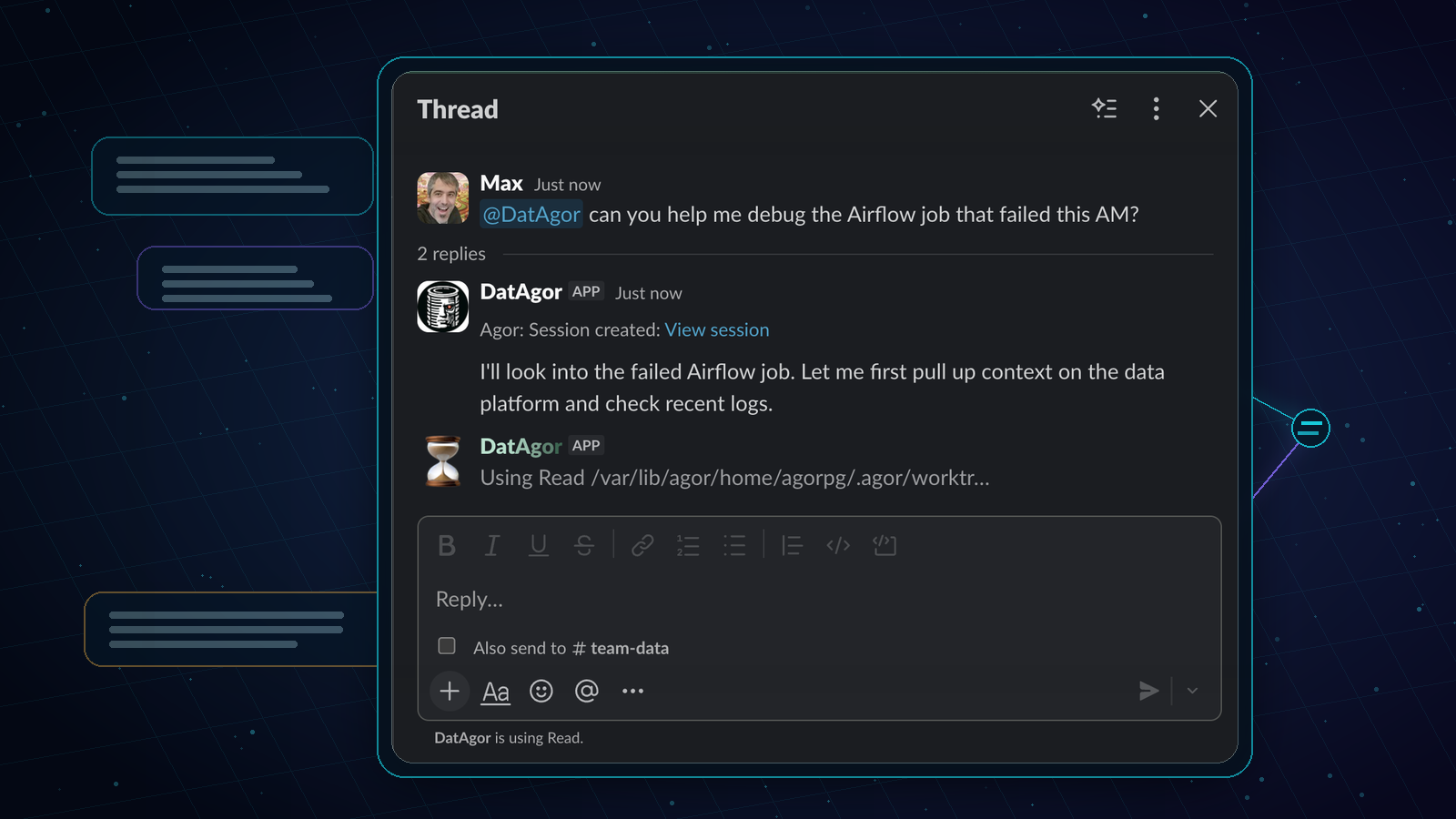
At the Slack layer, Claude Tag and Agor’s Message Gateway can look similar: a human mentions a bot in a thread, the teammate works, and the result comes back to Slack.
The difference is what exists behind the bot.
In Agor, a gateway channel is a portal into a specific branch or teammate. Each Slack thread maps to an Agor session. Follow-up mentions in the same Slack thread route back to that same session, and Agor catches the teammate up on intervening thread replies. The Slack reply can link back to the underlying Agor session, where the team can inspect the full transcript, tool calls, session tree, branch, environment, artifacts, and downstream work.
The setup implication is real: with Agor, you may create and configure a Slack app or gateway channel per important teammate rather than installing one universal @Claude for the whole company.
That is more work up front.
It is also the point.
A specialized Slack-operated teammate can have a specialized target branch, model, permission mode, MCP server set, environment variables, service-account credentials, and user-aligned execution behavior. The Sales Ops teammate can be connected to HubSpot and the sales Knowledge namespace. The Architect teammate can be connected to GitHub, repo docs, ADRs, and code-review skills. The SRE teammate can be connected to Datadog, PagerDuty, runbooks, and incident boards.
You are not asking one broadly-scoped teammate to infer the shape of the organization from a giant ambient context soup. You are modeling the teammates the way you model real roles: intentionally.
A quick comparison
| Dimension | Claude Tag | Agor Teammates + Gateway Channels |
|---|---|---|
| Slack UX | Tag @Claude in Slack; Claude responds in the thread. | Mention a configured Slack bot/channel; replies route back to the same Slack thread. |
| Unit of identity | Claude operates under an organization/channel identity configured by admins. | Each teammate is a durable entity with its own name, avatar, identity files, memory, branch, board, schedules, and skills. |
| Thread mapping | Channel/thread collaboration is core to the product. | Each platform thread maps to an Agor session; multiple Agor bots can participate in the same Slack thread with separate session mappings. |
| Tool access | Admins configure tools, repositories, channels, spend limits, member access, memory, and audit views. | Per-teammate/per-channel agent config: model/harness, permission mode, MCP servers, env vars, service-account or user-aligned credentials, Knowledge grants, branch RBAC, and sandboxed or delegated execution where needed. |
| Memory model | Claude Tag keeps channel/workspace memory that admins can review, edit, or delete. | Teammates can keep file-based memory plus Knowledge namespaces with search, graph links, version history, and read/write controls. |
| Work surface | Slack-first, with Claude surfaces and linked coding flows where configured. | Slack is one doorway into a visual workspace: boards, sessions, branches, environments, artifacts, comments, PRs, and session trees. |
| Model ecosystem | Claude ecosystem. | Harness variety: Claude Code, Codex, Gemini, Copilot, OpenCode, Cursor, and MCP-native extensions. |
| Agency | Claude Tag can follow up and schedule work. | Every teammate/branch can have cron schedules, heartbeats, audits, reports, and long-running workflows with full session transcripts. |
| Observability | Admin audit views and tool-side attribution. | Full Agor transcripts, boards, genealogy, branch state, environment state, artifacts, Knowledge history, and gateway mappings. |
The fair summary: Claude Tag is a very strong Slack-native way to delegate to Claude. Agor is a control plane for raising, governing, observing, and coordinating many teammates across many models and work surfaces, Slack included.
Slack is the social layer. Agor is the operating layer.
A Slack thread is a great doorway. It is not a great place to operate an agent fleet.
Slack is where social review happens: the SRE notices the incident bot skipped a runbook; the analytics engineer catches a wrong table; the PM clarifies customer nuance; the sales ops owner says, “that HubSpot field is deprecated.” That public correction is not a failure mode. It is how teams build trust with AI.
The missing piece is where that correction lands. In Agor, the thread can link back to an inspectable session, the teammate’s operating brief, and the Knowledge namespace that stores its durable memory. The course-correction can become a micro-adjustment to the actual teammate, not just another Slack reply that disappears into scrollback.
Imagine a product manager writes:
@AtlasPM, the customer says exports are broken again. Figure out what's going on, coordinate a fix, and keep this thread updated.
In Agor, that Slack mention can create a session on the PM teammate. From there, the teammate can ask the Architect teammate for a code-path read, spawn a Codex review for a suspicious patch, create a branch for the data pipeline fix, start a dev environment, publish an artifact showing export failure rates by customer segment, and report back to Slack with links.
The difference is that none of this disappears into a black box.
On the Agor board, you can see the remote tree: the original Slack-triggered session, the child coding session, the review subsession, the branch that backs the PR, the environment logs, the artifact dashboard, and the final report. You can fork the session. You can post-prompt it. You can ask a /btw question without derailing the main run. You can drag the branch into a review zone. You can open the dev environment. You can hand the work to another teammate.
The board can also be deliberately workflow-shaped. A team can build kanban-like conveyor belts for a teammate: Intake, Investigate, Needs Human Review, Ready for PR, Waiting on Customer, Done. Those zones are not just visuals. They encode where humans are expected to oversee, approve, redirect, or jump in. Any team member can inspect the current work, see which lane it is in, and play human-in-the-loop exactly where the workflow calls for it.
Slack remains where the request and updates live. Agor becomes the visible workspace where the work actually unfolds.
That matters when the teammate does real work, not just summarization.
Multi-specialist beats mega-teammate
The most interesting Slack-operated agents will not be generic.
They will look like this:
- PM Bot: tracks roadmap commitments, writes weekly stakeholder updates, notices stale decisions, turns Slack debates into crisp product notes, and asks Architect Bot when implementation risk appears.
- Architect Bot: knows repo boundaries, migration plans, performance tradeoffs, ADRs, and code review norms; can spin up branches or ask Codex/Gemini for second opinions.
- HubSpot Specialist: understands pipeline stages, account fields, renewal risk, and handoff policy; answers sales ops questions without giving engineering agents CRM write access.
- On-call/SRE Bot: reads incident channels, runbooks, dashboards, and PagerDuty; drafts postmortems, creates follow-up issues, and knows when to escalate instead of acting.
- Sales Ops Bot: builds territory dashboards, reconciles CRM hygiene, drafts outreach lists, and posts scheduled weekly revenue-risk digests.
- Data Team Teammate: knows metric definitions, dbt lineage, dashboard ownership, and data quality alerts; can generate an artifact for a one-off analysis instead of burying the answer in text.
Sometimes one teammate should ask another.
A PM teammate should not need HubSpot credentials just because a roadmap question touches a customer account. It can ask the HubSpot specialist. A code teammate should not need every sales note to understand a bug priority. It can ask the PM teammate for the relevant customer context. An incident bot can ask the Data Team teammate to validate a metric anomaly before waking up an engineer.
That is the organizational pattern Agor is designed for: teammates with roles, boundaries, memories, tools, and coordination paths.
Governance is not a checkbox. It is the product shape.
Claude Tag’s admin controls are a meaningful step: channel access, tools, memory review, spend limits, audit views, role-based access for Enterprise customers, and organization/channel billing are all important.
Agor approaches governance from a broader control-plane angle because it is coordinating teammates, sessions, branches, credentials, environments, MCP servers, Slack/GitHub/Teams gateways, Knowledge, artifacts, and schedules in one place.
The questions get very concrete:
- Who is allowed to prompt the SRE teammate?
- Does the Sales Ops teammate use a service account or borrow the prompting user’s OAuth tokens?
- Which Knowledge namespaces can the HubSpot specialist read? Which can it write?
- Can this Slack gateway run in a permissive permission mode, or should tool calls stay supervised?
- Which MCP servers attach to this teammate?
- Is this branch open to the team, restricted to owners, or isolated by the execution substrate?
- When a scheduled teammate runs unattended, whose credentials and limits apply?
Those details are not bureaucracy. They are how you make teammates useful enough to touch real systems without turning every Slack mention into an unbounded remote prompt seat.
Model variety is part of the governance story
There is another practical reason not to collapse everything into one vendor-native teammate: teams do not want to be locked into one model ecosystem.
Agor lets teams choose the right harness per session or teammate: Claude Code for one class of work, Codex for another review, Gemini for a second opinion, OpenCode for an open-source workflow, Copilot or Cursor where those fit. A teammate can ask another agent to get a Codex review, compare outputs across models, or route work to the provider with the best capability, price, quota, or policy posture for that task.
That is tactical, but it compounds. If a model regresses, a quota changes, a vendor adds a subsidy, or a new harness is suddenly best for a workflow, your teammate architecture should be able to adapt without redesigning how the company delegates work.
Artifacts: sometimes the answer should not be a Slack message
Slack is excellent for coordination. It is terrible for rich output.
If a data teammate investigates churn, the answer might be an interactive dashboard. If an architect explains a dependency migration, the answer might be a diagram. If sales ops models pricing, the answer might be a calculator. If a PM teammate turns a messy customer request into a workflow, the answer might be a small app people can click through.
Agor Artifacts give teammates a way to build and render live mini-apps directly on the board. The Slack reply can be the notification and summary. The artifact can be the actual work product.
That is the pattern we expect to see more of: Slack as the command surface; Agor as the rich environment where teammates create things that are too visual, too interactive, or too durable for a chat thread.
The bottom line
Claude Tag is a strong signal that the market is moving from “AI chat” to “AI coworkers in the tools where teams work.” That is good for everyone building in this space.
Our bet is that the next bottleneck will not be whether you can tag a teammate in Slack.
The bottleneck will be whether you can live with the teammates after they become useful.
Can you see what they are doing? Can you give them durable memory without context leakage? Can you scope their credentials? Can you let a PM bot ask an Architect bot without giving both everything? Can you run scheduled work with transcripts? Can you route one task to Claude Code and another to Codex? Can you turn a Slack request into a branch, a PR, a dashboard, an artifact, and an inspectable session tree?
That is why Agor exists.
Not to replace Slack. Not to dunk on Claude Tag. Claude Tag is exciting.
Agor is for the moment after the excitement, when the company realizes it is not adopting one teammate. It is raising a team.
Sources and further reading
- Anthropic: Introducing Claude Tag
- Claude Help Center: What is Claude Tag?
- Claude Help Center: Get started with Claude in Slack
- Claude Code docs: Claude Code in Slack
- Agor: Agent Modeling 101
- Agor docs: Teammates, Message Gateway, Knowledge, Scheduler, Artifacts, SDK comparison