Drop a branch into a zone to trigger its reusable prompt, so a review or release check starts the same way every time. Learn more about zones & prompts
Fork to try an alternative, or spawn focused child sessions, and keep the whole thread in one tree. Learn more about session trees
Fan work out to several agents at once, then review the results together on the same branch card. Learn more about parallel agents
Give your team and its agents one shared place for decisions, runbooks, prompts, and reusable context. Learn more about knowledge base
Start, stop, health-check, and read logs for every branch environment without port fights. Learn more about branch environments
Let agents render live dashboards, mockups, and tools right on the board. Learn more about artifacts
Agents drive Agor through the same API as the UI: spawn peers, move work, run environments, schedule runs, and report back. Learn more about agor mcp
Fan out the work, then review it together
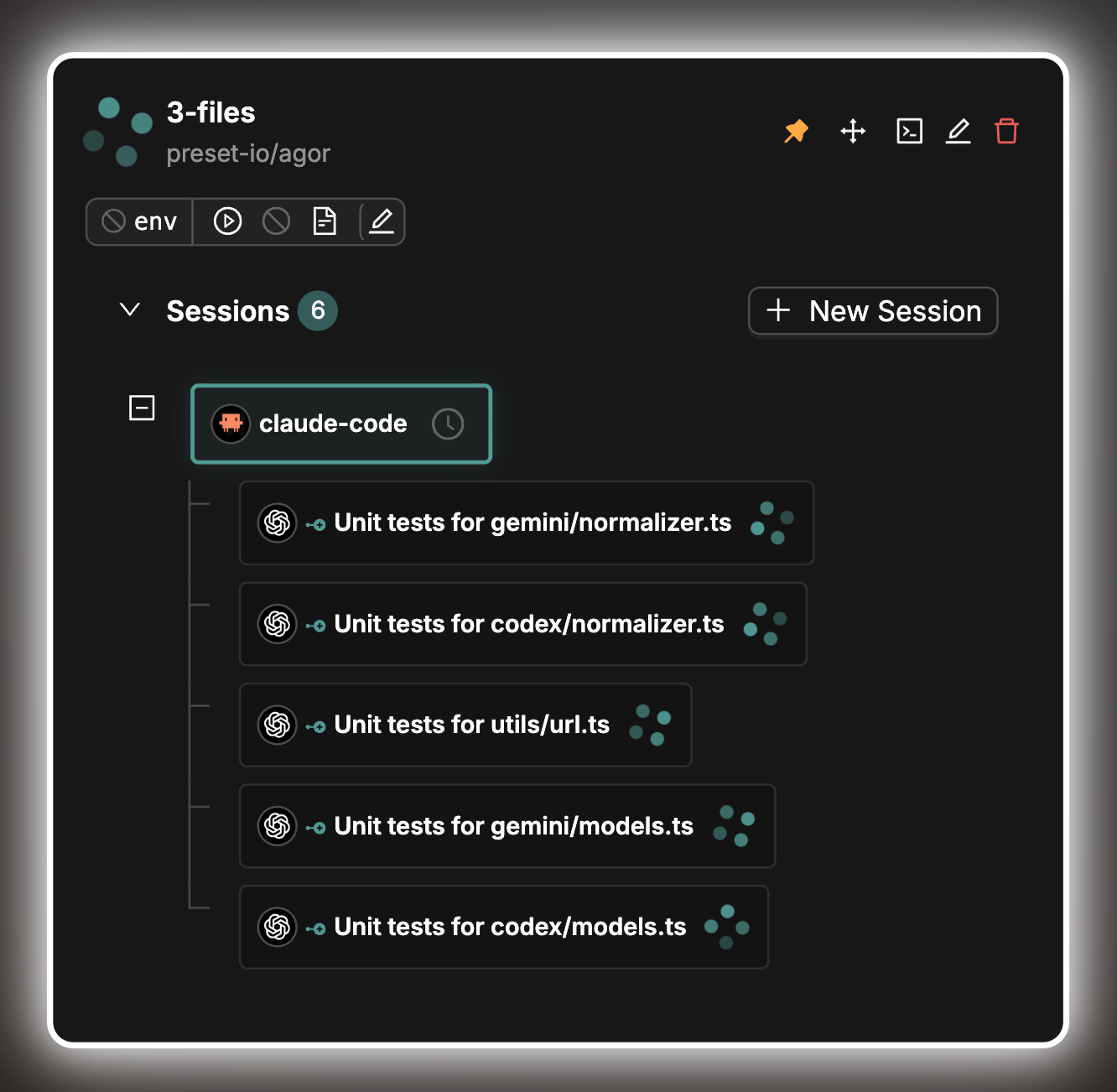
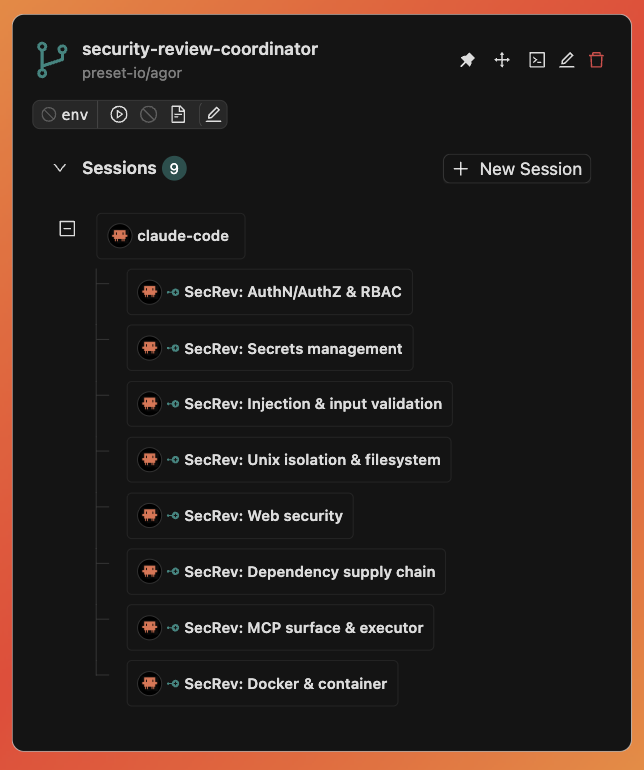
Split a job across several agents and watch each result come back to the parent. Have one agent do the work and a different one review it, whether that is a code change, a contract redline, or a sales deck, so the reviewer is not defending its own choices.
Because every child is its own visible session, the review is something your team can open, question, and discuss, not a summary you have to take on faith.
- Parallel test generationOne parent spawns a child per file and collects the callbacks as they land.
- Cross-agent code reviewA second agent reads the change with fresh eyes and reports findings back with file and line.
- Research and collateral in parallelOne child per competitor, account, or draft, each filing its findings to Knowledge, compared side by side on the board.
Real orchestration patterns Meet Wendy, who fans out research
Give every agent a place, and every step a prompt
More agents means more coordination: which one is blocked, which one needs you, which review never started. On an Agor board every branch has a spot, so the state of the work is something you can see at a glance instead of reconstruct.
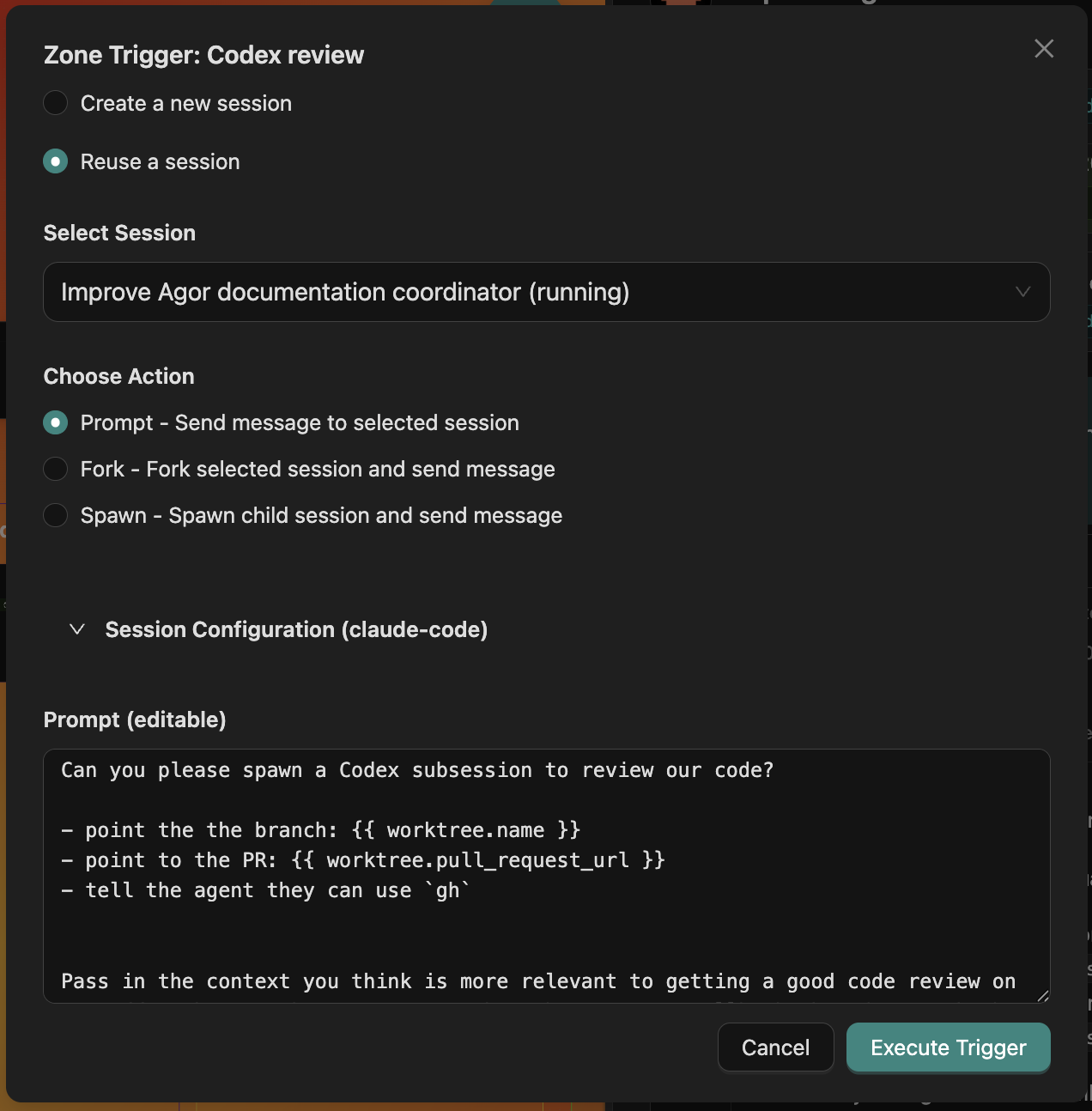
Zones turn that layout into a workflow. Draw a "Code review", "Contract review", or "Weekly digest" zone once, give it a templated prompt, and dropping a branch in fills in its details, like the issue, PR, or environment, and sends it to an agent. Everyone working on the board uses the same process.
- Templated promptsHandlebars templates pull in the branch, board, repo, and environment, so nobody copies ticket links by hand.
- Prompt, fork, or spawnChoose a session when you drop a branch, or have the zone start a fresh one automatically.
- Shared by defaultZones live on the board, so the workflow you set up is the one your colleagues use.
Conversations that branch instead of scrolling away
A terminal forgets. In Agor every session is a conversation you can come back to, and it can grow a tree: fork to try an alternative with the same context, spawn a child with a fresh context for a focused job, or ask a quick side question without interrupting the main thread.
The tree sits on the branch card, so you and anyone you bring in can see how a piece of work unfolded and pick up any part of it.
- Spawn with callbacksChildren report back when they finish, and the parent stays responsive while they run.
- Mix agentsSpawn a Codex child from a Claude session, or hand a subtask to Gemini or OpenCode.
- Nothing disappearsFinished children stay in the tree, ready for a follow-up prompt.
One place for the context your agents keep needing
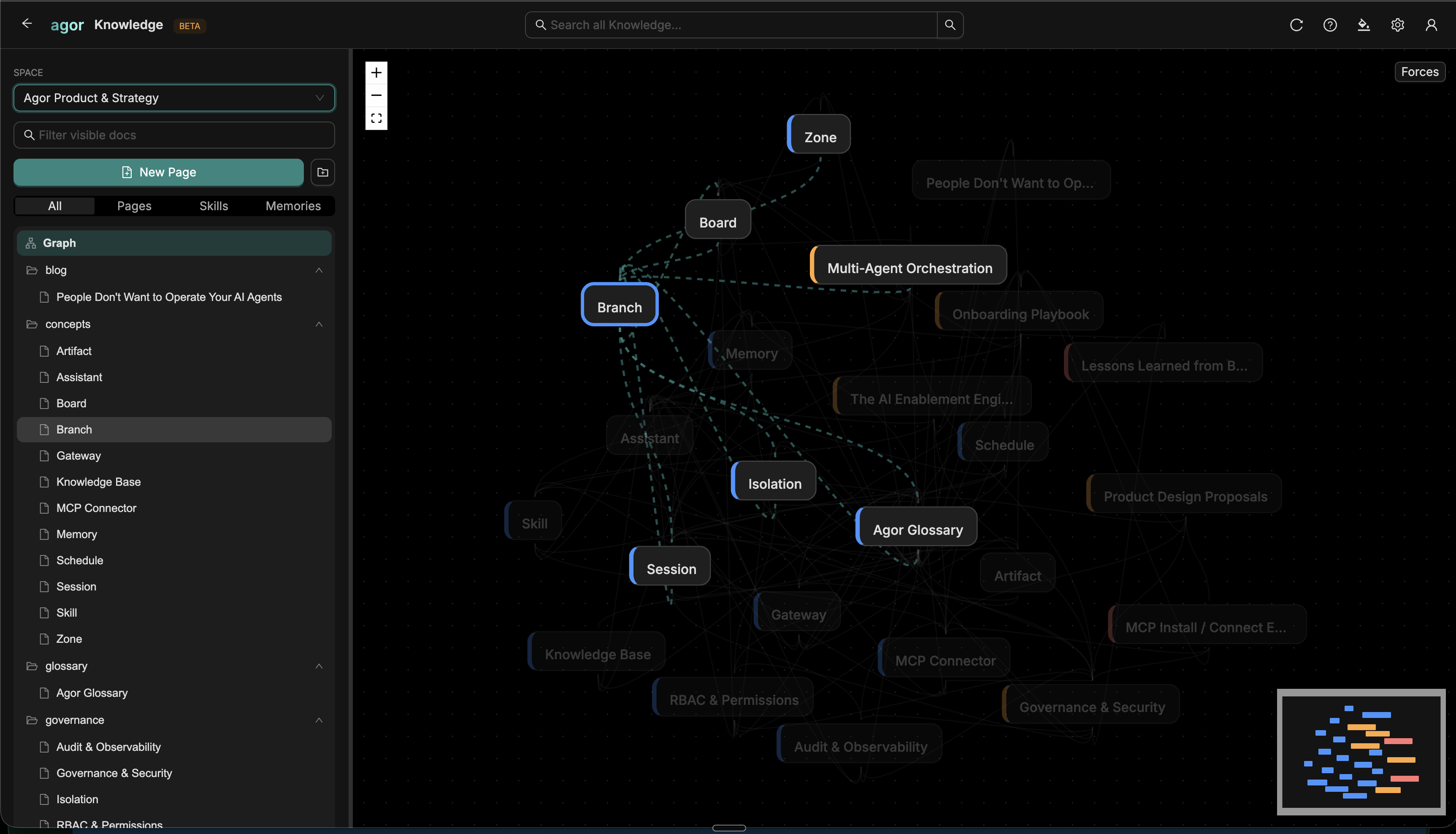
Useful context is scattered across repos, docs, DMs, and old conversations, so agents answer without it and people explain the same thing twice. Agor Knowledge gives your team and its agents a default place to file what matters: runbooks, decisions, reusable prompts, and teammate memory.
Agents in Agor can already search, read, and write it through the built-in MCP server, with no extra setup. What one session learns, the next one can find.
- Markdown with historyEvery update creates a new version, with diagrams, code, and tables rendered richly.
- Search that grows with youText search out of the box, with optional semantic and hybrid search when an admin enables embeddings.
- Linked, not piled upDocuments link to each other and form a graph you can browse.
A running environment for every branch
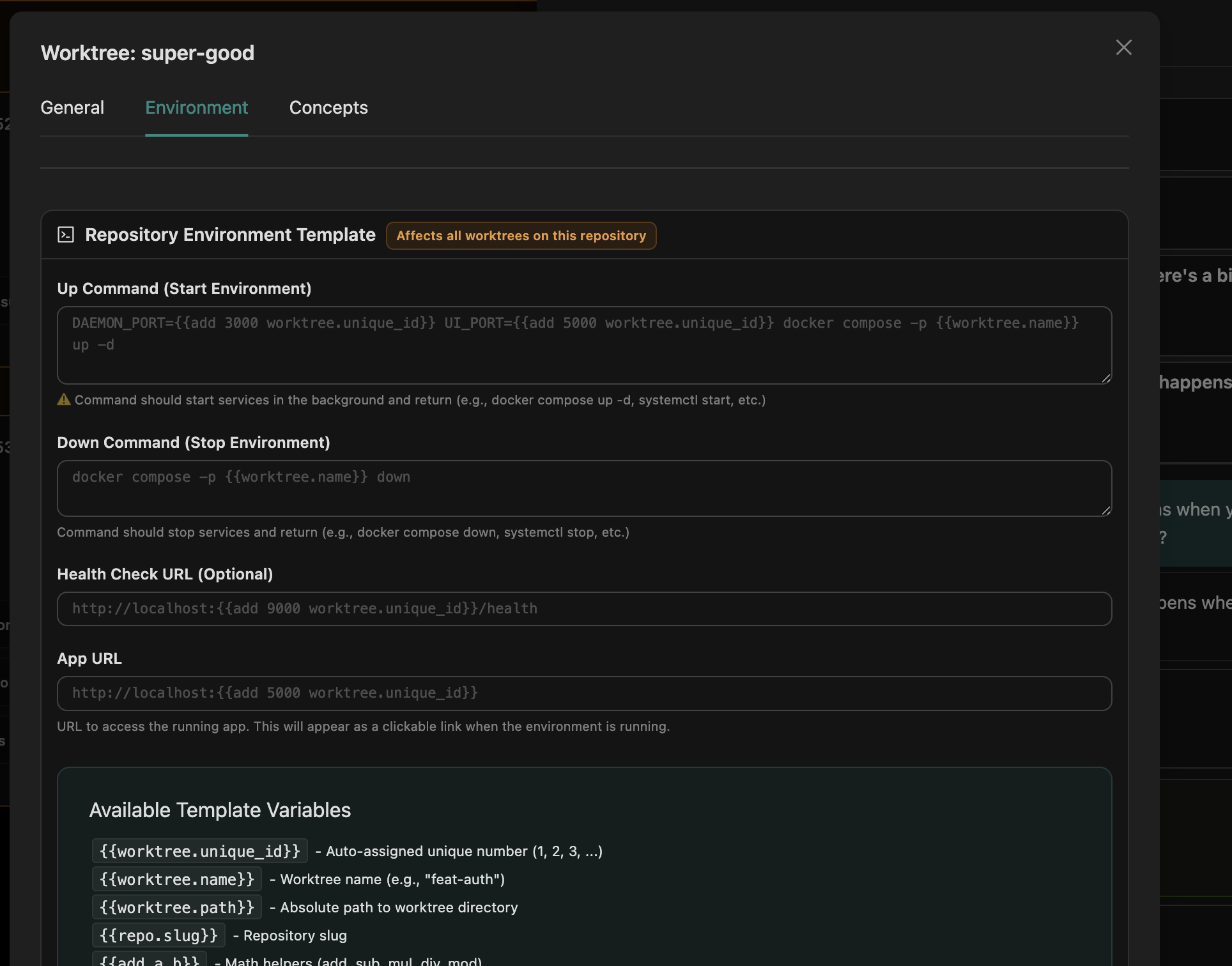
Each branch is its own isolated checkout, so agents working in parallel do not step on each other’s files. Each can also run its own dev environment, with ports assigned per branch so several can run side by side without collisions.
Start, stop, restart, and read logs from the branch card, or let an agent do it. Reviewers open the same running build instead of setting up their own.
- Variants per repoShip named setups like lean or full in .agor.yml and pick one per branch.
- Deployment-local overridesPin host-specific values without touching the shared file.
Let agents build what you need to see
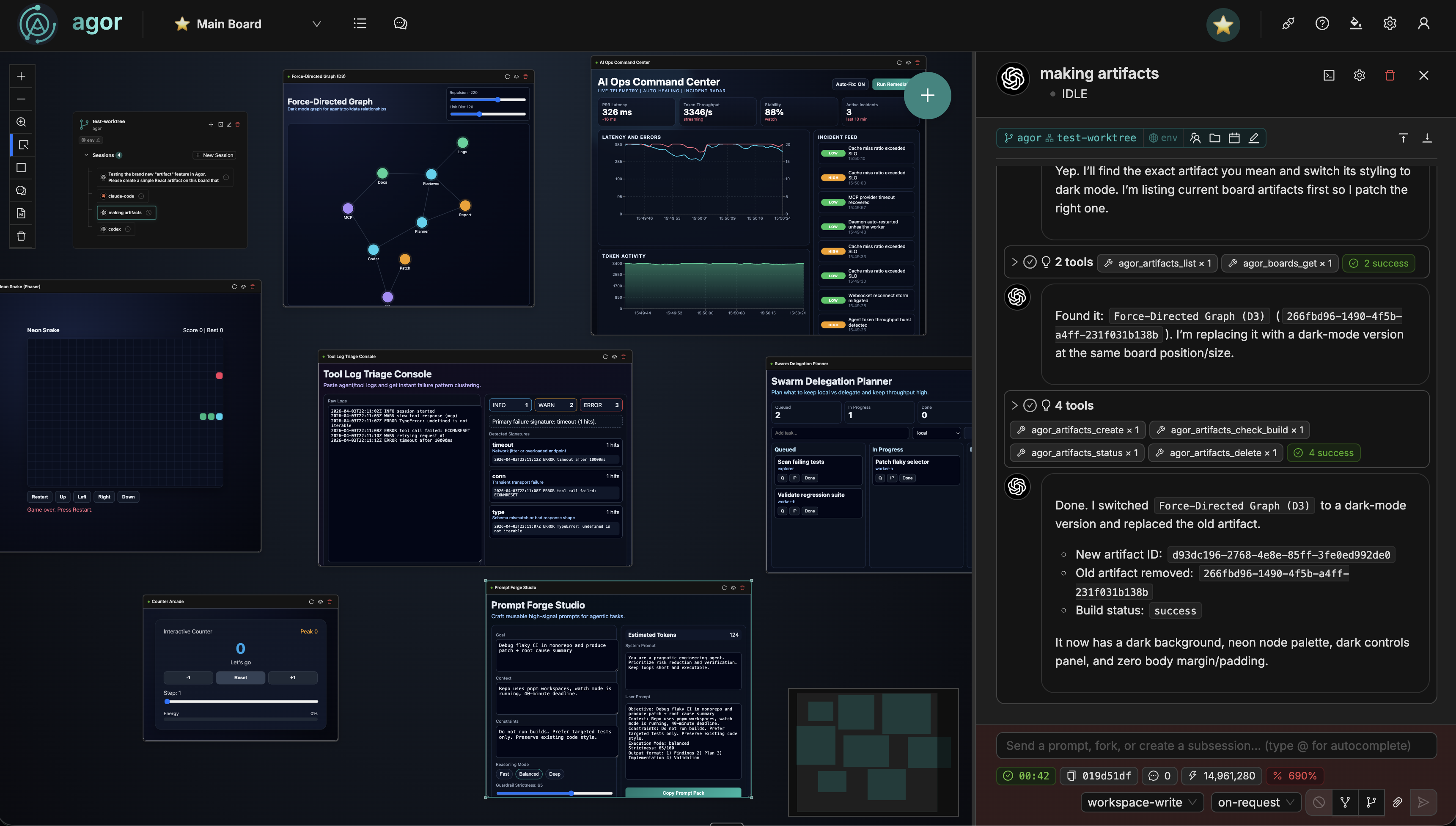
Some results are easier to look at than to read. Agents can publish artifacts: live, interactive apps such as dashboards, data explorers, and prototypes that render right on the board.
Ask for a change and the artifact updates in place. Because it lives on the shared board, your colleagues can click through the same thing you are looking at.
- No deploy stepSource files are bundled and rendered in the browser with Sandpack.
- Iterate liveThe agent republishes and the board reloads the artifact for everyone.
Agents drive Agor through the same API as you
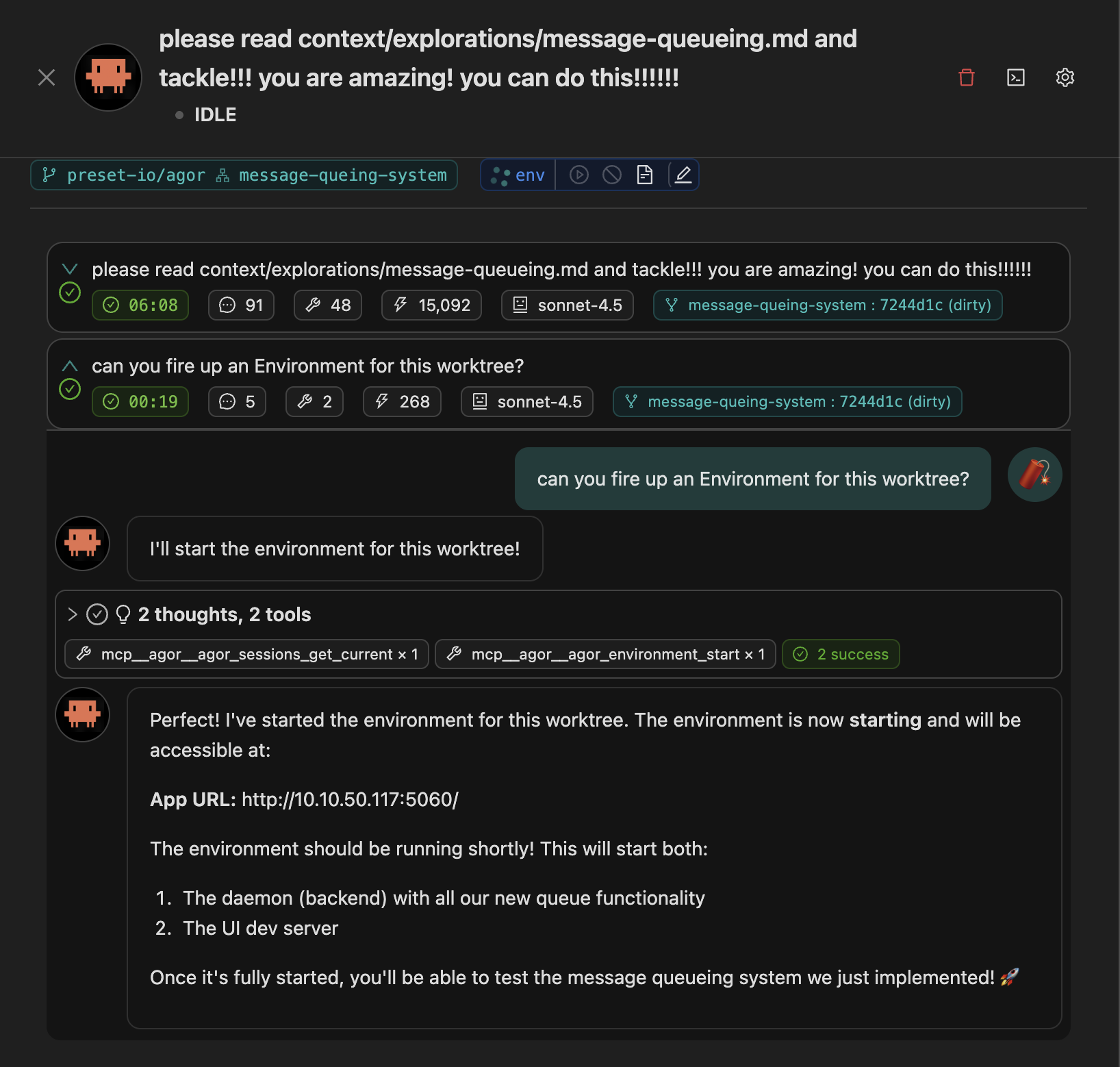
Every session gets its own scoped credentials for Agor’s built-in MCP server, so an agent knows which branch and board it is on and can act there: spawn peers, move cards, start an environment, file knowledge, or report back.
For the rest of your stack, attach external MCP servers to a session, either from the reviewed Catalog or from servers you configure yourself.
- No separate serverMCP is part of the Agor daemon. In-Agor agents need no setup.
- Same events as the UIWhen an agent moves a card, everyone watching the board sees it move.
- External servers per sessionGive each session the tools its job needs.
Know when to keep going and when to start fresh
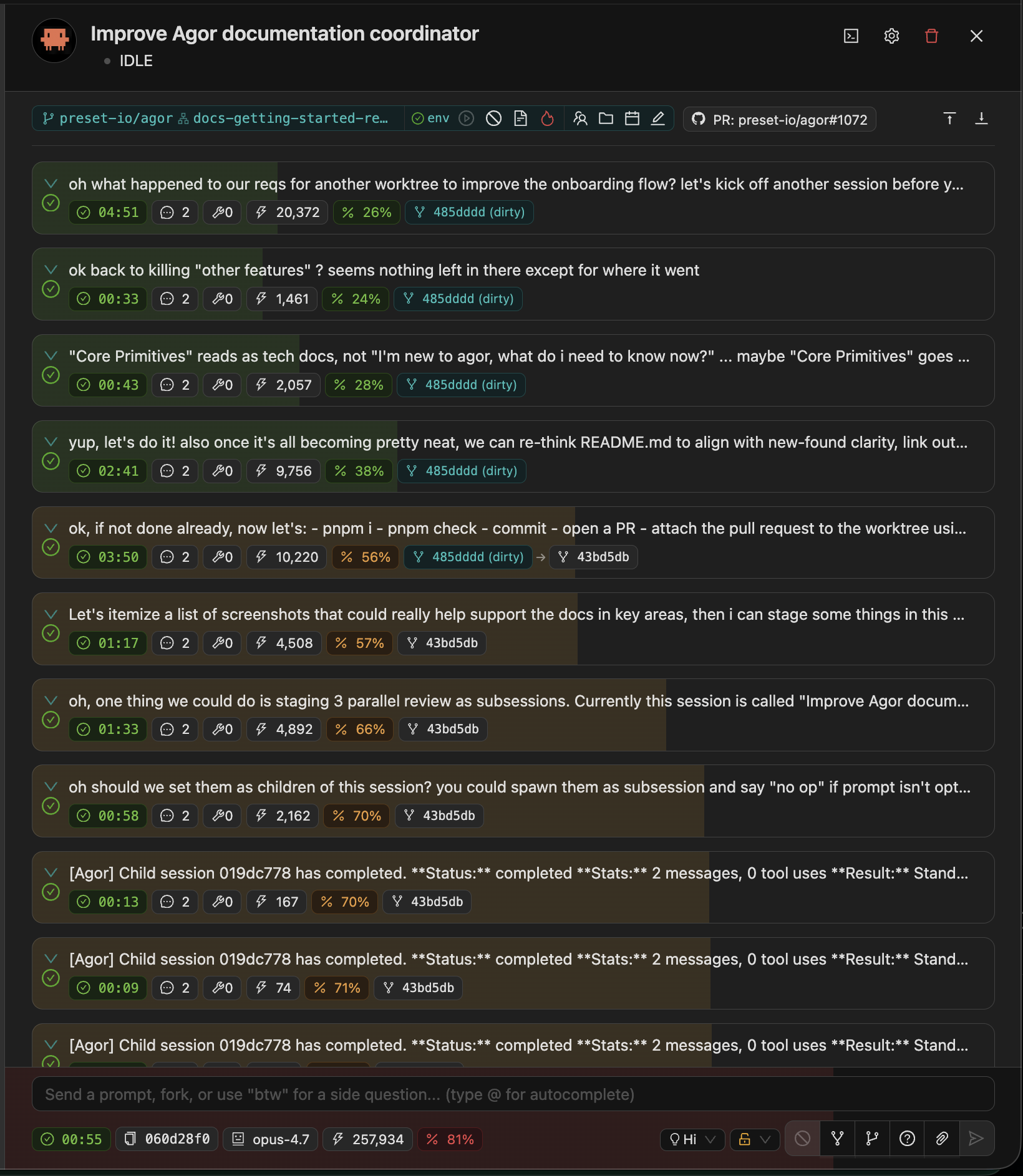
With five sessions running across three branches, you need more than scrollback. A context meter behind each conversation fills as its window runs out, so "should I spawn a fresh child or keep going?" is something you can see.
Each prompt also shows what it cost, so you can spot an expensive step while it is happening and switch to a lighter model or effort for the routine ones, mid-session on Claude and Codex.
- Cost per stepInput, output, and cache tokens with an estimated cost on each message, where you make the call.
- Structured tool blocksEdits show diffs, commands show exit codes, MCP calls show their inputs and outputs.
Go deeper in the docs
Explore more of Agor
Bring your team and agents together
Start on your own with Agor Community Edition and bring colleagues in as you go, or talk to us about rolling Agor out across your team. Agor Cloud is here when you’d rather we run it.