Live presence
Cursors, comments, and live sessions as work happens, all on the same board.
One shared board instead of ten private terminals.
Bring your team and agents together on one live, multiplayer canvas.
Cursors, comments, and live sessions as work happens, all on the same board.
Engineers, reviewers, PMs, and QA rally around the same branches and builds. No more “spin up your own to see it.”
Watch how teammates prompt, standardize the patterns that work, and build a shared knowledge base as you go.
 Claude Code
 Codex
Codex Gemini
 Copilot
 OpenCode
 CursorBeta
Bring your own provider and subscription. Pick the best harness per session, no lock-in. All in a web workspace that leaves the terminal behind.
Most AI work happens behind one person’s screen, so good techniques stay private and the same mistakes get made twice. Agor puts every session on a shared board, where you can open a colleague’s session and follow the whole conversation: the prompts, the tool calls, and the decisions that got a good result.
When something works, the team keeps it instead of rediscovering it.
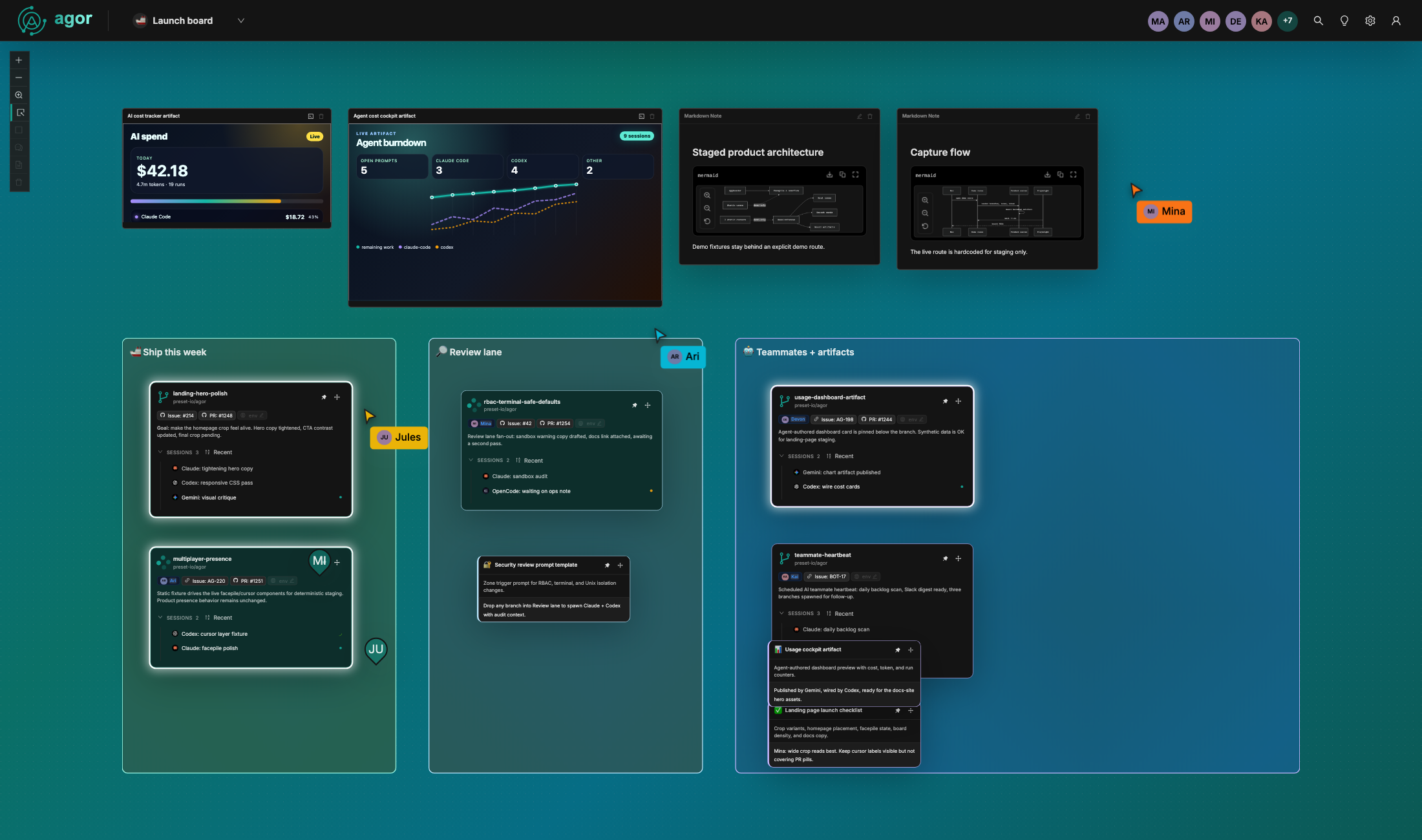
No more “share your screen” calls to find out what a teammate’s agent is doing. Live cursors show where everyone is on the board, the facepile shows who is online and which board they’re on, and branch cards pulse when a session is waiting on someone.
Every branch can run its own dev environment on its own ports, so five features can run side by side. Configure the environment once for the repo, and everyone on the team gets one-click start and stop on every branch.
Engineers, reviewers, PMs, and QA open the same running build instead of each spinning up their own to see it.

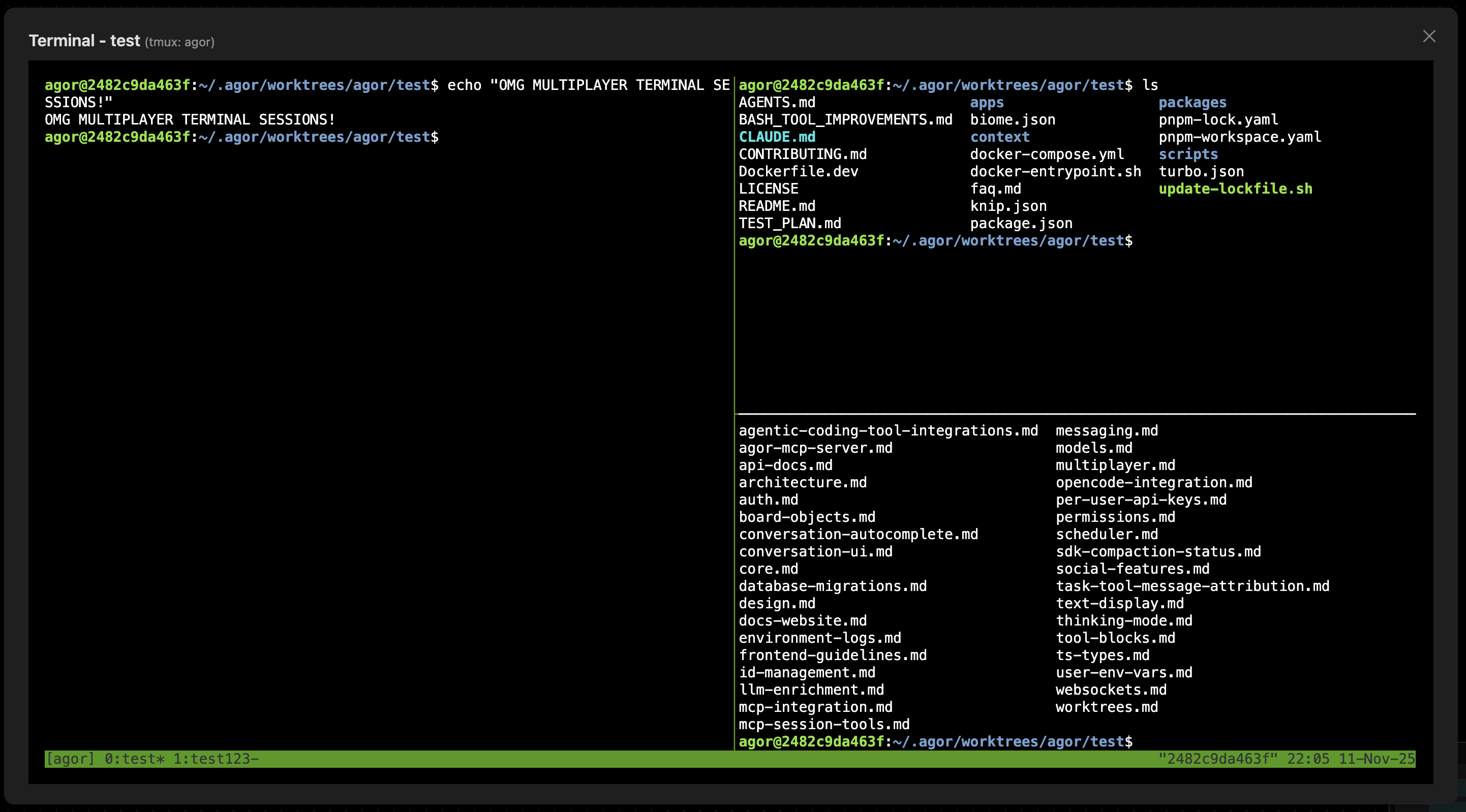
Open a branch’s terminal and anyone else on that branch sees the same session live: every keystroke, every output. Pair on a fix, walk a new teammate through a setup, or explore a branch together during review.
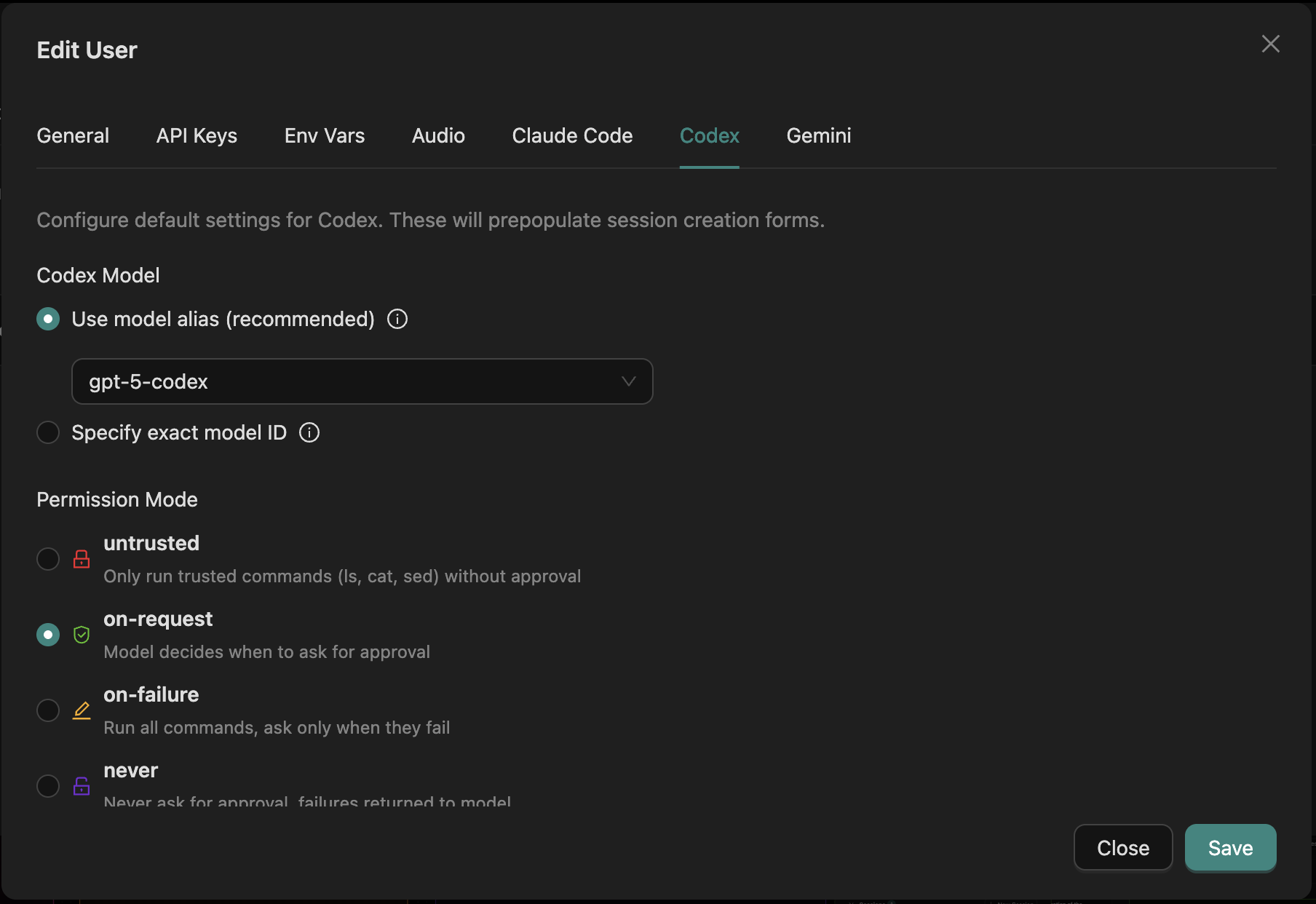
Claude Code, Codex, Gemini, GitHub Copilot, and OpenCode all run on the same board, with Cursor in beta. Pick the right agent for each session, mix them on one branch, and switch when something better ships.
Everyone keeps their own settings and credentials, so a team can share boards and conversations without sharing secrets.
Handing out AI accounts doesn’t change how a team works. If you’re the person already getting great results, Agor gives you a way to make that work visible, bring colleagues into it, and turn it into workflows the rest of the team can use and improve.
That person is your AI enabler. At Preset we call the role the AI Enablement Engineer, and Agor is built to be their workbench.
You don’t need the whole team on day one. Start on your own, then invite people in as the work becomes worth sharing.
What is an AI Enablement Engineer? Get started Your first teammate AI teammates
Start on your own with Agor Community Edition and bring colleagues in as you go, or talk to us about rolling Agor out across your team. Agor Cloud is here when you’d rather we run it.
Talk about the work where it lives
Agent conversations scroll away. Comments stay pinned to the board, zone, branch, or session they’re about, so a colleague finds the note right next to the work instead of digging through a transcript.
Comments guide →